Coupon Types
| Summary Information | |
|---|---|
| Menu Path: | Currency — Coupon Types |
| Required Feature(s): | Currency |
Navigation:
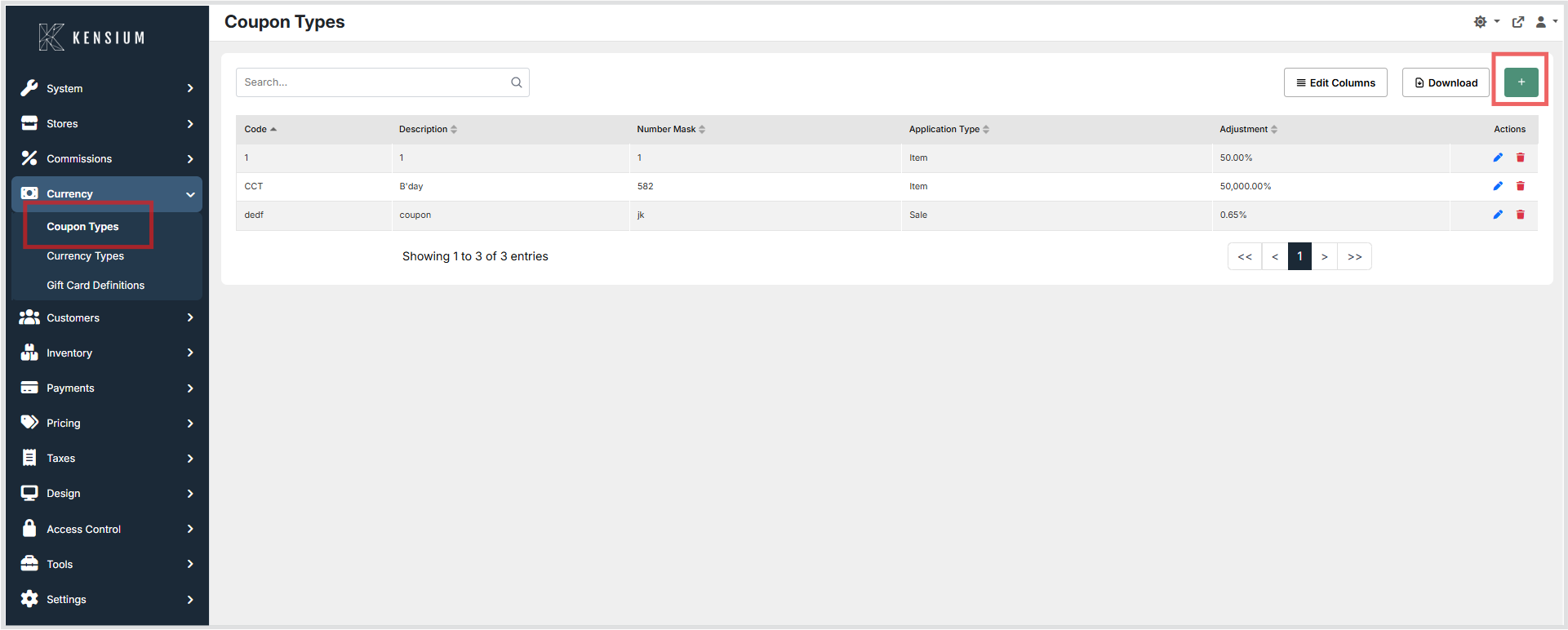
Currency → Coupon Types
The Coupon Types module allows administrators to define and manage the categories of coupons accepted during point-of-sale transactions. Each coupon type specifies a unique Code, a Number Mask pattern used to identify coupon numbers, the discount method, and the validity period.
Coupon types are referenced during transaction processing to determine whether a scanned or entered coupon number matches a known type, and to apply the appropriate discount to the item or sale.
Purpose of Coupon Types
Coupon types are used to:
- Define the patterns that identify valid coupon numbers
- Specify whether a discount applies to individual items or the entire sale
- Configure the discount amount or percentage applied during checkout
- Set validity date ranges to automatically control when coupons are active
- Maintain a structured catalog of coupon categories for the POS system
Creating or Editing a Coupon Type
To create or modify a coupon type:
- Navigate to
Currency → Coupon Types. - Click the + button to create a new coupon type, or choose an existing coupon to edit.
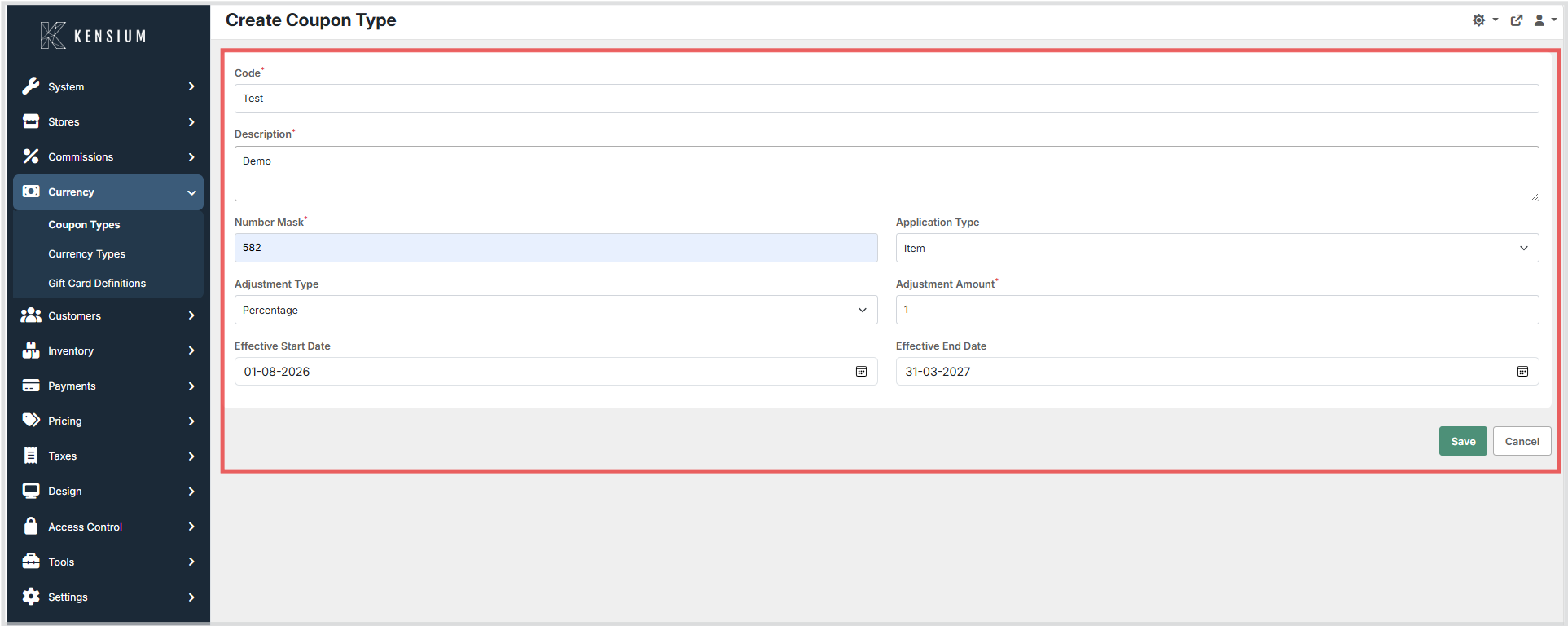
- Enter the required configuration details.
- Click Save to apply the changes.
Available Fields
| Field | Description | Field Behavior |
|---|---|---|
| Code | System identifier for the coupon type. | Required. Must be unique across all coupon types. Used as the coupon type key in administration and by the POS when determining which configuration applies to an entered/scanned coupon number. Saving a duplicate code results in a validation error. |
| Description | A descriptive name for the coupon type. | Optional. Display-only label used to help administrators identify the type. Does not affect matching logic. |
| Number Mask | Pattern to identify which coupon numbers belong to this coupon type. | Required. Defines the matching rule used during coupon entry/scanning. Use ? for any single digit (0–9); all other characters are treated as literals and must match exactly. Design masks so a single coupon number matches only one type. |
| Application Type | Determines whether the coupon discount applies to an item or the entire sale. | Required selection. Controls where the discount is applied during checkout: Item: applies to a qualifying line item. Sale: applies to the overall sale total. |
| Adjustment Type | How the Adjustment value is interpreted. | Required selection. Determines how the system reads the Adjustment value:Percentage: Adjustment is a percent (for example, 50.00 = 50%).Amount: Adjustment is a fixed monetary amount in the transaction currency. |
| Adjustment | The discount value applied when matched. | Required. Decimal value interpreted according to Adjustment Type. Stored with two decimal places (e.g., 10.00). Applied at checkout only when the coupon number matches the Number Mask and the coupon is within the effective date range (if configured). |
| Effective Start Date | Date when the coupon type becomes active. | Optional. Format: dd-mm-yyyy. When set, the POS accepts this coupon type only on/after this date. If blank, there is no “not before” restriction. |
| Effective End Date | Date after which the coupon type is inactive. | Optional. Format: dd-mm-yyyy. When set, the POS accepts this coupon type only on/before this date. If both dates are set, Start Date must be less than or equal to End Date. If blank, there is no “not after” restriction. |
Examples
BC????-100: matches BC followed by 4 digits, then -100 (e.g. BC1234-100) SALE-??: matches SALE- followed by any 2 digits (e.g. SALE-42)
Note
The database stores this mask using _ (underscore) as the digit placeholder for legacy compatibility. The application converts between the two formats automatically.
Operational Considerations
- Use clear, descriptive codes to easily identify coupon types within the administration interface.
- Design number masks carefully to avoid overlap between coupon types; a single coupon number should match only one type.
- Use Effective Start Date and Effective End Date to automatically activate/deactivate promotional coupon types.
- Select the appropriate
Application Type(Item or Sale) to ensure discounts are applied at the correct level. - Review existing coupon types before creating new ones to avoid duplicate configurations.
- The
Codefield must be unique. Saving a coupon type with a duplicate code will produce a validation error.