Transaction Class
| Summary Information | |
|---|---|
| Menu Path: | Stores — Transaction Class |
| Required Feature(s): | Stores |
Navigation: Stores → Transaction Class
The Transaction Class module allows administrators to define and manage classification codes for different types of transactions processed through the point-of-sale system. Transaction classes provide a structured way to categorize transactions such as refunds, returns, vendor returns, inventory write-offs, and other specialized transaction types.
By assigning transaction classes, businesses can improve reporting accuracy, streamline transaction tracking, and apply specific processing rules to distinct transaction categories.
Purpose of Transaction Classes
Transaction Classes are used to:
- Categorize and classify different types of transactions
- Improve transaction reporting and audit trails
- Support filtering and analysis by transaction type
- Enable targeted processing rules for specific transaction categories
- Provide descriptive context for transactions such as returns, refunds, and write-offs
Creating a Transaction Class
To create a new Transaction Class:
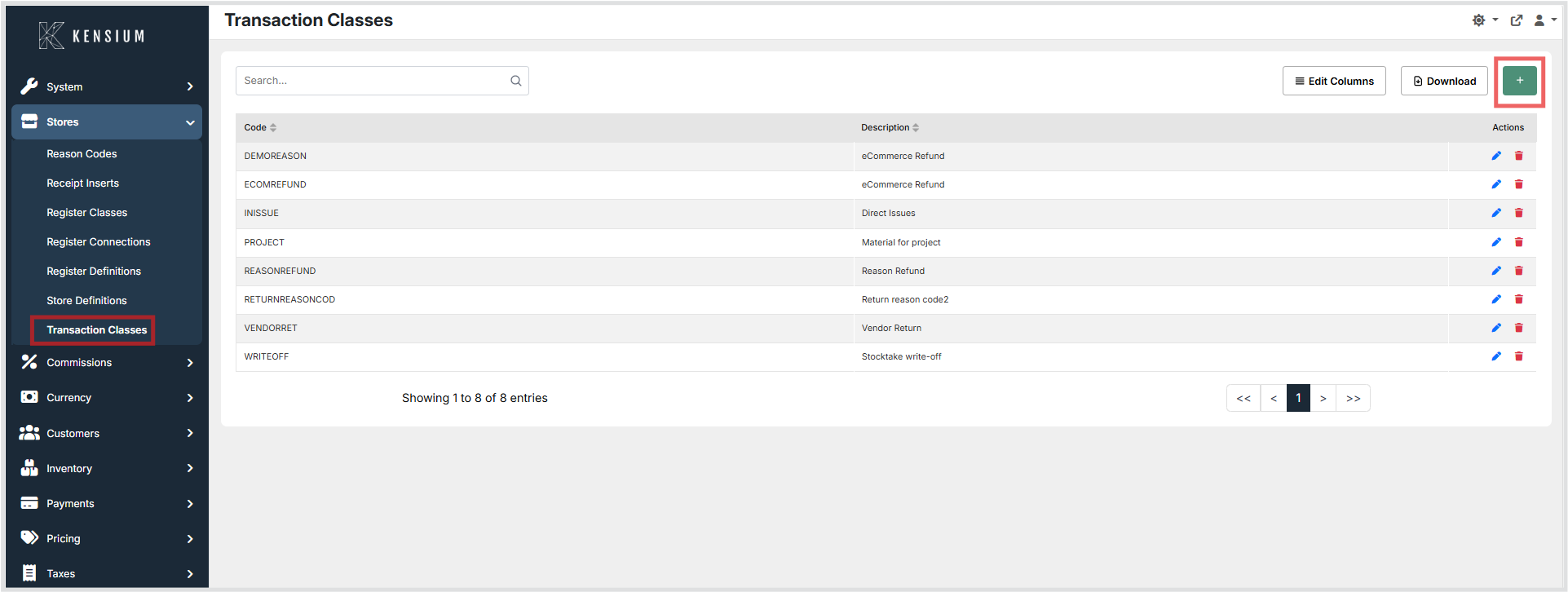
- Navigate to Stores → Transaction Class.
- Click the + button to open the Create Transaction Class form.
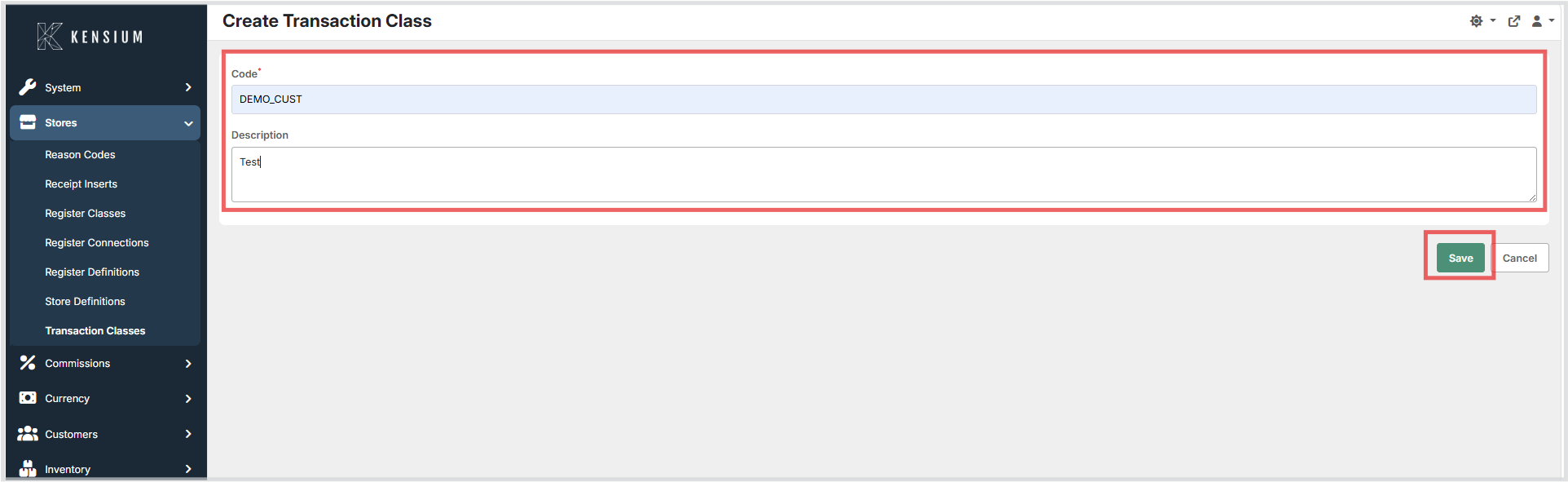
- Enter the required Code and an optional Description.
- Click Save to create the transaction class.
Available Fields
| Field | Description | Field Behavior |
|---|---|---|
| Code | A unique identifier for the transaction class. | Required. Used to reference the transaction class throughout the system. Codes are typically short alphanumeric strings that reflect the transaction type. |
| Description | A plain-language description of the transaction class. | Optional. Provides context for the code and is displayed in lists and reports to help users identify the purpose of the transaction class. |
Editing a Transaction Class
To edit an existing Transaction Class:
- Navigate to Stores → Transaction Class.
- Locate the transaction class in the list and click Edit.
- Update the Code or Description as needed.
- Click Save to apply the changes.
Deleting a Transaction Class
To delete a Transaction Class:
- Navigate to Stores → Transaction Class.
- Locate the transaction class to be removed and click Delete.
- Confirm the deletion when prompted.
Note
Ensure the transaction class is not actively assigned to any transactions or configuration before deleting it.
Operational Considerations
- Use concise, descriptive codes that clearly reflect the transaction type to make identification straightforward.
- Provide meaningful descriptions to help staff and administrators understand the purpose of each class.
- Establish a consistent naming convention for transaction class codes to maintain clarity as the list grows.
- Review existing transaction classes periodically to remove unused entries and keep the list organized.
- Ensure transaction classes assigned to active transaction configurations are not deleted without first reassigning or reviewing those configurations.