The Sale Screen
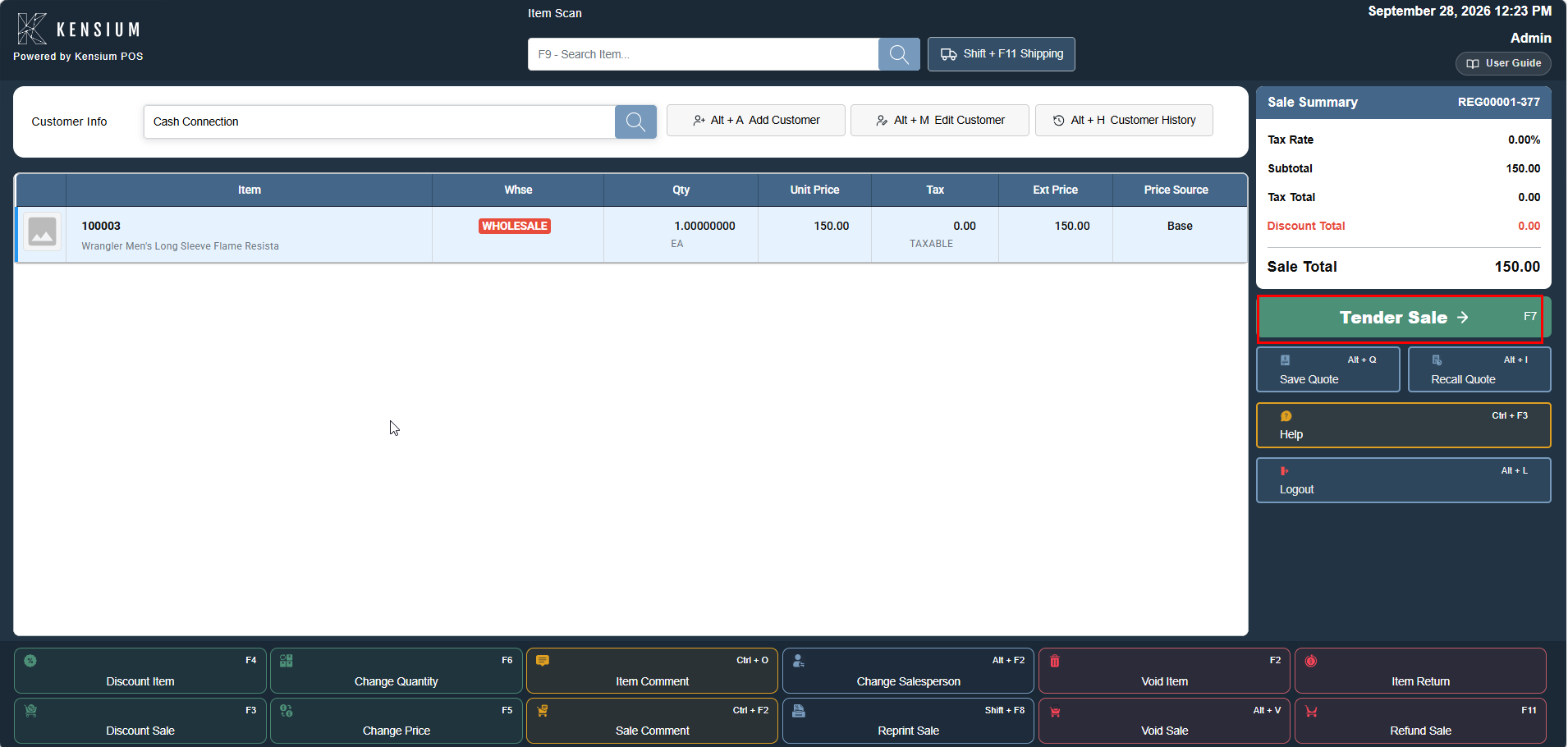
One screen handles every transaction, divided into five working regions that remain in the same location throughout the sale.
The Sale screen is the primary interface for all transaction activities. It provides organized access to item management, customer information, payment processing, and transaction completion. The five working regions remain consistent throughout the entire sale workflow.
The Sale screen enables:
- Adding items to customer transactions.
- Management of quantities, prices, and discounts.
- Addition or selection of customers.
- Payment collection and transaction completion.
- Receipt printing and management.
- Processing of refunds and special transactions.
- Access to all transaction-level operations.
Related Documentation
Remember
The five screen regions stay in the same place throughout the entire sale. All necessary information is always visible no hidden menus or navigation drawers. The Action Grid buttons are context-sensitive and change based on role and permissions.