Store Definitions
| Summary Information | |
|---|---|
| Menu Path: | Stores — Store Definitions |
| Required Feature(s): | Stores |
Navigation:
Stores → Store Definitions
The Store Definitions module allows administrators to create and manage store records within the system. Each store definition represents a physical or operational location, serving as a fundamental unit for organizing transactions, inventory, and reporting.
Stores link sales activities to specific inventory locations and customer accounts, ensuring accurate tracking of stock levels and financial data across the organization.
Purpose of Store Definitions
Store Definitions are used to:
- Define the physical or logical locations where business is conducted
- Associate inventory locations with specific sales points
- Assign default customer accounts for anonymous (cash) transactions
- Enable location-specific reporting and analytics
- Manage the operational status of different branches
Creating or Editing a Store Definition
To create or modify a store definition:
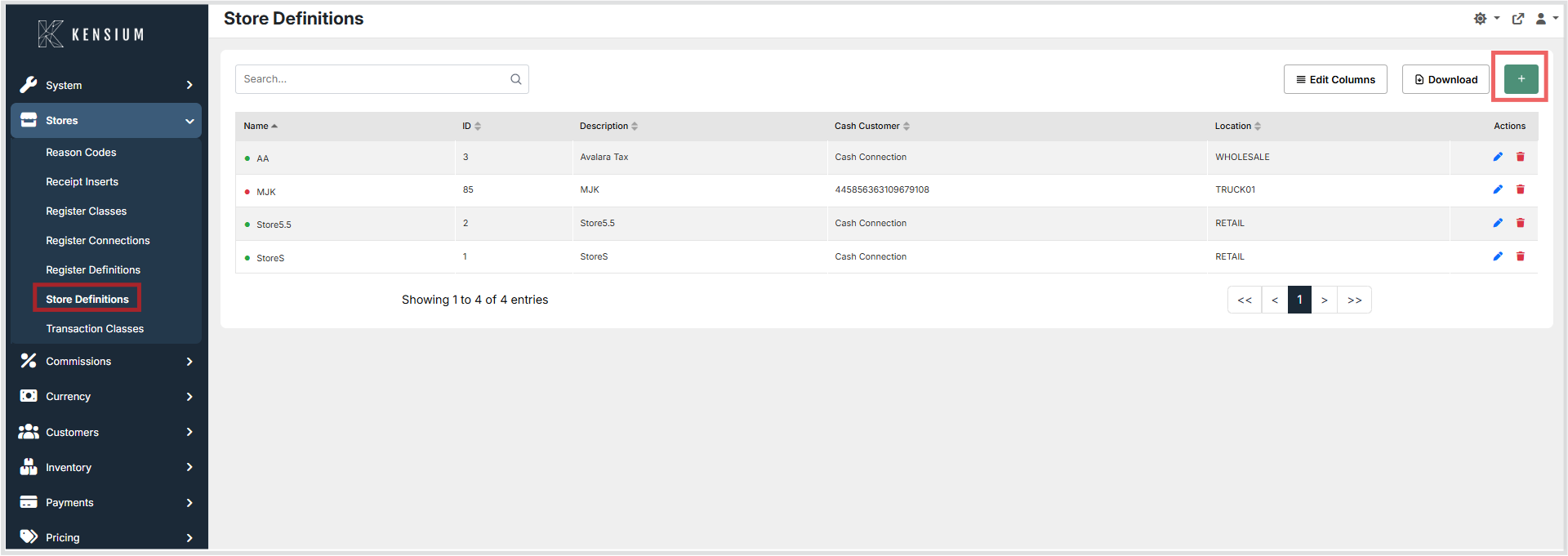
- Navigate to Stores → Store Definitions.
- Click the + button to create a new store, or choose an existing store to edit.
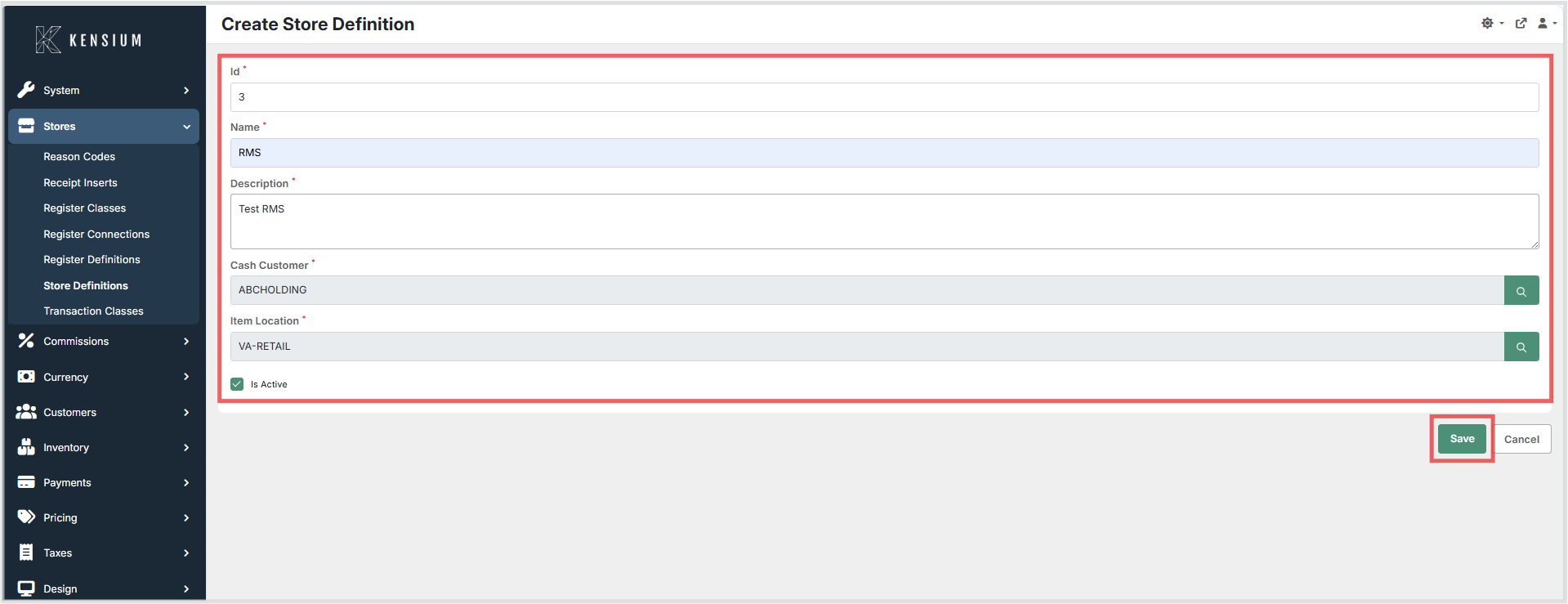
- Enter the required information.
- Click Save to apply the changes.
Available Fields
| Field | Description | Field Behavior |
|---|---|---|
| Id | System-generated unique identifier for the store. | Auto-assigned value used internally to reference the store in transactions and reports. |
| Name | The display name of the store. | Should be unique and descriptive to easily identify the location. |
| Description | Optional internal description or notes about the store. | Provides additional context for administrators, such as address or operational details. |
| Cash Customers | The default customer account used for walk-in or cash transactions. | Must be a pre-configured customer record. Transactions without a specific customer will map to this account. |
| Inventory Location | The primary inventory location associated with the store. | Links the store to stock levels. Sales at this store will decrement inventory from this location. |
| Is Active | Indicates whether the store is operational. | If disabled, the store cannot be used for new transactions but remains in historical reports. |
Operational Considerations
- Prerequisites: Customer accounts (for Cash Customers) and Inventory Locations must be configured before they can be assigned to a store.
- Data Integrity: Ensure that the assigned Inventory Location is valid and intended for the specific store to prevent stock discrepancies.
- Deactivation: Deactivating a store prevents new operations but preserves historical data. Deleting a store with existing transactions is not recommended.
- Dependencies: Changes to the Cash Customer or Inventory Location fields will affect how future transactions are processed and recorded.
Example
| Name | Inventory Location | Cash Customers | Is Active |
|---|---|---|---|
Downtown Branch |
Warehouse A |
Walk-in Client |
True |
In this example, the Downtown Branch is an active store that pulls stock from Warehouse A and assigns anonymous sales to the Walk-in Client account.