Payment Attempts
View and manage all card payment attempts processed through your system.
Track every payment attempt made at your registers, including authorization status, capture status, and refund information. Download payment data for reconciliation and reporting.
Navigation: Admin → Payments → Payment Attempts
View Payment Attempts
- Go to Admin → Payments → Payment Attempts
- Click Download button to export payment attempts
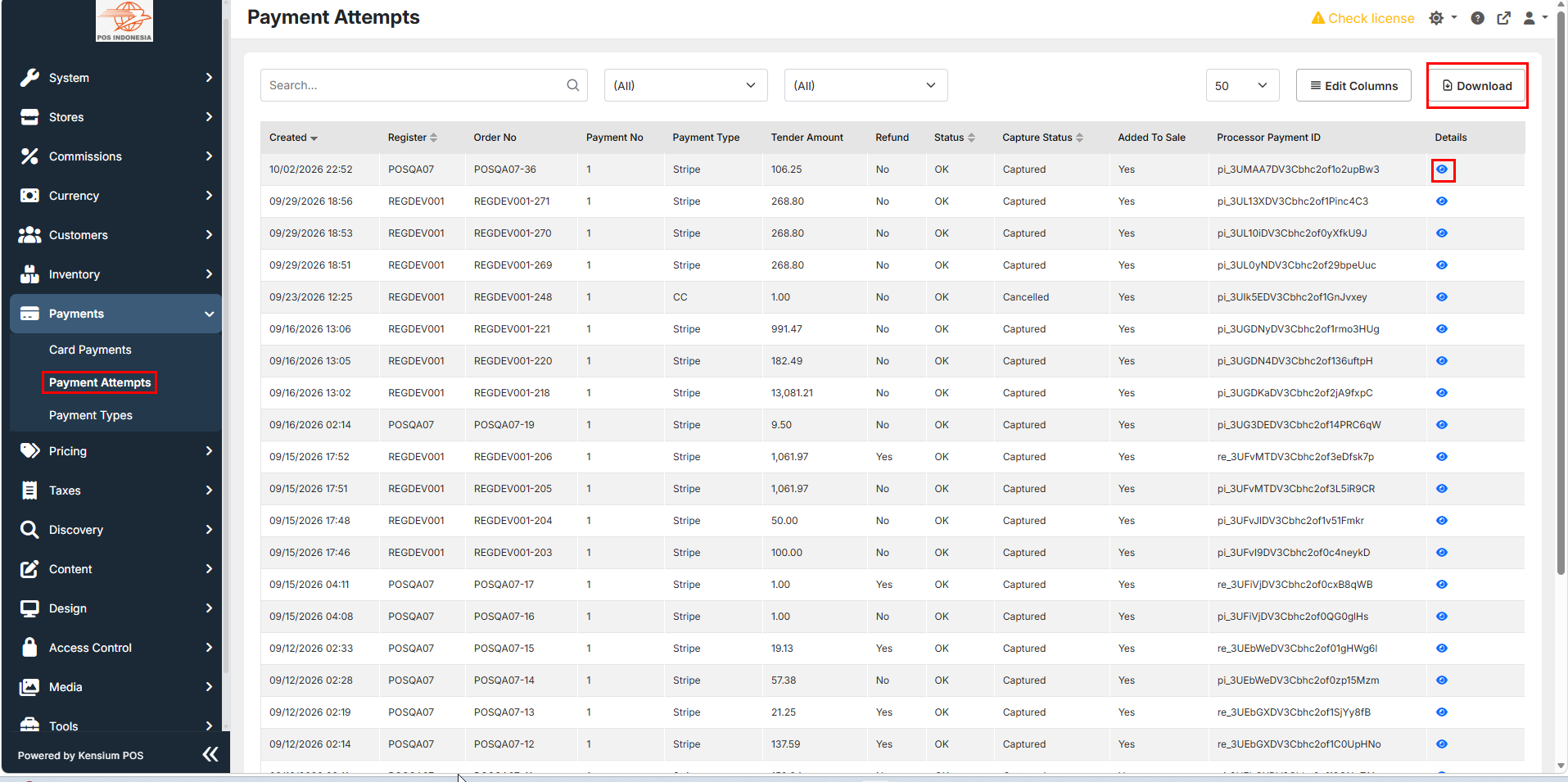
- View all payment attempts with details:
- Created - Date and time of attempt
- Register - Which register processed the payment
- Order No - Associated order number
- Payment No - Payment sequence number
- Payment Type - Payment method (Stripe, CC, etc.)
- Tender Amount - Amount charged
- Refund - Whether refunded (Yes/No)
- Status - Payment status (OK, Failed, etc.)
- Capture Status - Authorization status (Captured, Authorized, etc.)
- Added to Sale - Whether added to transaction (Yes/No)
- Processor Payment ID - Unique payment identifier
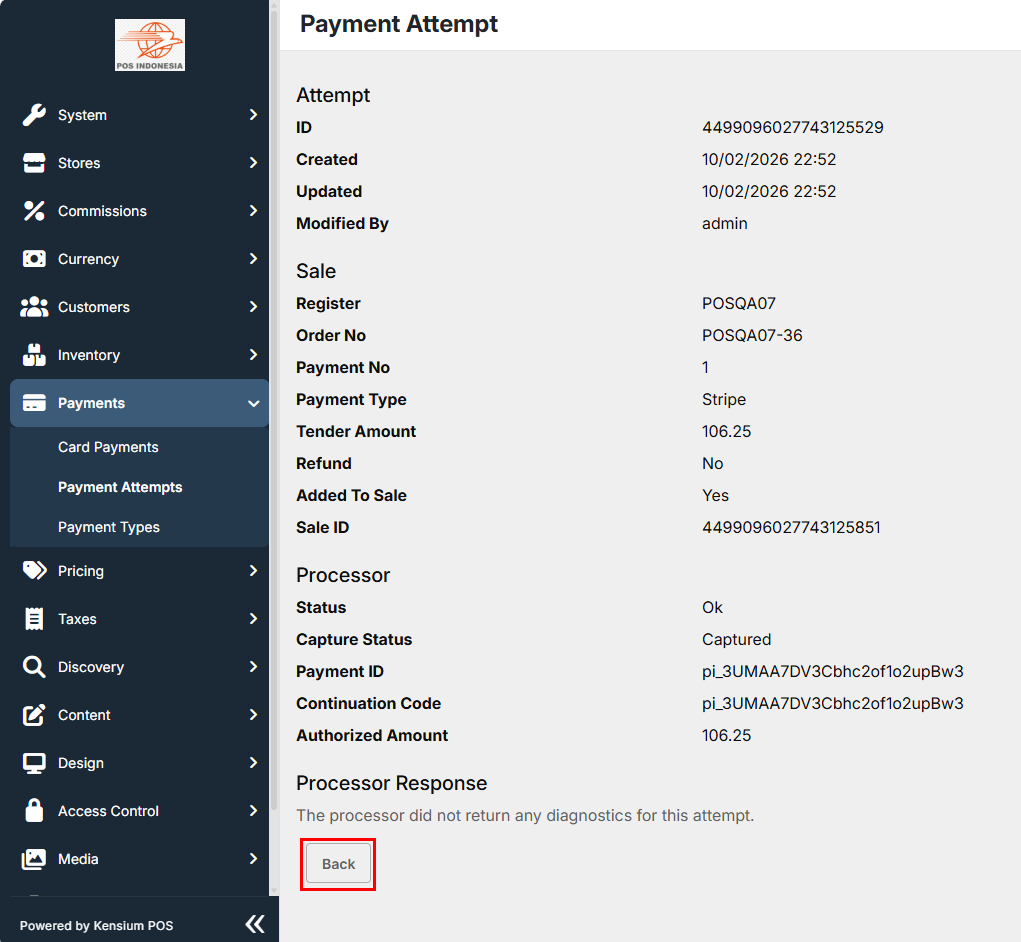
- Click on eye icon on any payment attempt to view the details:
Note
When you download payment attempts, the data is exported as an Excel spreadsheet (.xlsx). The spreadsheet includes all payment attempt columns and data, which you can use for reconciliation, reporting, and analysis.