Tax Schedule Codes
| Summary Information | |
|---|---|
| Menu Path: | Taxes — Tax Schedule Codes |
| Required Feature(s): | Taxes |
Navigation:
Taxes → Tax Schedule Codes
The Tax Schedule Codes module allows administrators to define and manage named tax component identifiers used across the tax configuration system. A tax schedule code represents a single, distinct tax component - for example, CA_GST or WA_STATE_TAX - that can be included in one or more Tax Schedules and assigned rates for specific Tax Classes.
Purpose of Tax Schedule Codes
Tax schedule codes are used to:
- Define individual tax components that can be combined into Tax Schedules.
- Serve as the link between a Tax Schedule and the rates configured in Tax Classes.
- Provide a consistent, reusable reference for each tax component across stores, customers, and transactions.
Creating or Editing a Tax Schedule Code
To create a new tax schedule code or modify an existing one:
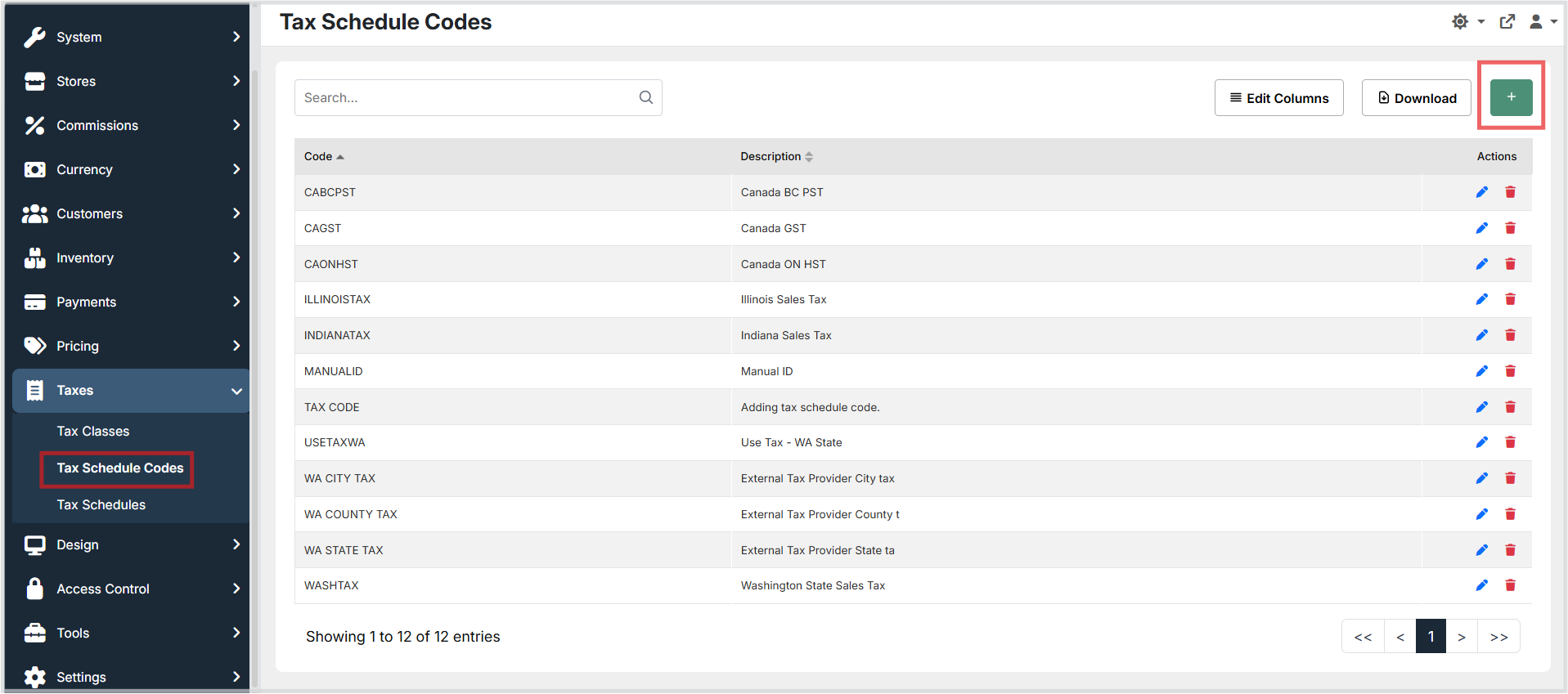
- Navigate to Taxes → Tax Schedule Codes.
- Click the green + button to open the create form.
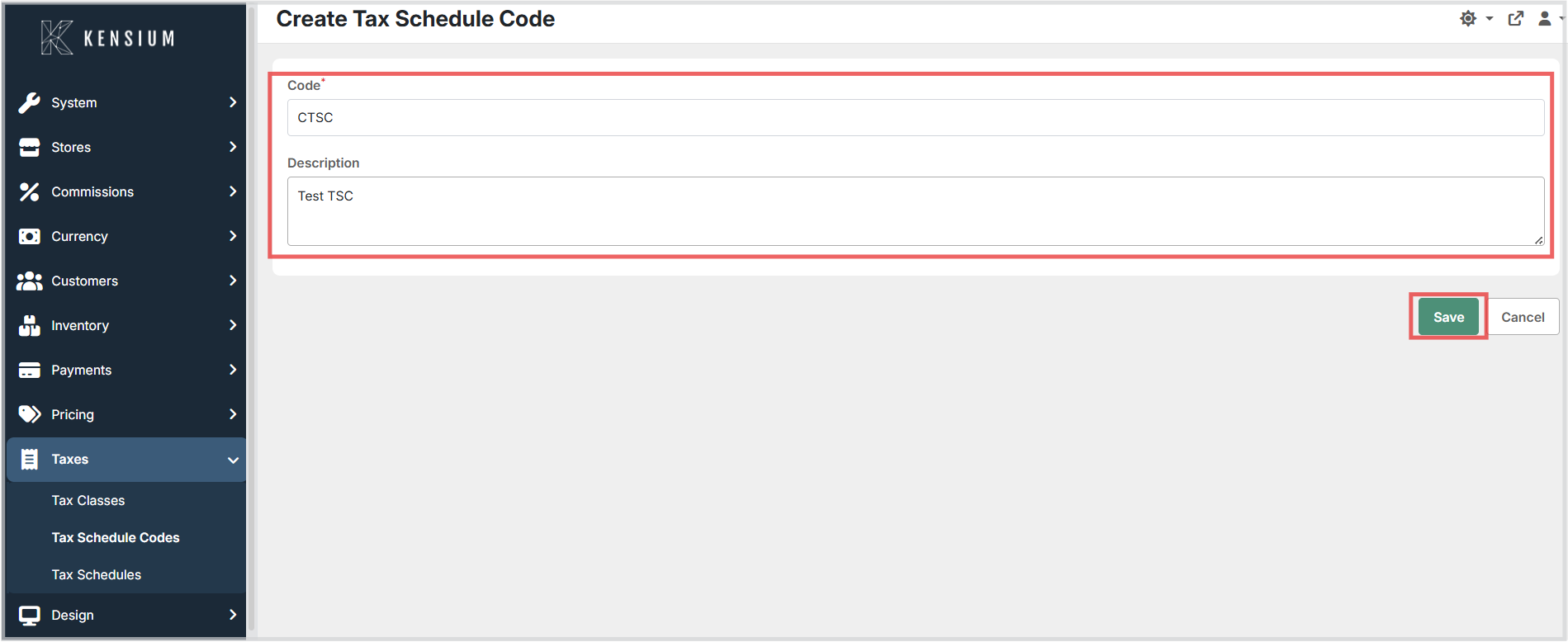
- Enter a unique Code and an optional Description.
- Click Save to apply the configuration.
To edit an existing tax schedule code, open it from the list, update the fields, and click Save. To remove a tax schedule code, use the Delete action from the list view.
Available Fields
| Field | Description | Field Behavior |
|---|---|---|
| Code | A unique identifier for the tax schedule code. | Required. Used when defining rates in Tax Classes and when composing Tax Schedules. Must be unique across all tax schedule codes. |
| Description | A plain-language explanation of the tax component this code represents. | Optional. Use a clear, descriptive name (for example, "California State Sales Tax" or "Washington State Tax") to avoid confusion when building Tax Schedules. |
How Tax Schedule Codes Are Applied
A tax schedule code represents one tax component in a broader tax calculation. Tax rates for each code are defined per Tax Class in the Tax Classes module. When the POS processes a sale, it identifies the applicable Tax Schedule, iterates through the Tax Schedule Codes included in that schedule, and applies the rate associated with each code and the item's assigned Tax Class.
A single Tax Schedule Code can have different rates for different Tax Classes, allowing the same tax component to apply differently to, for example, general merchandise versus grocery items.
Operational Considerations
- Unique, descriptive codes: Tax schedule code values must be unique across all records. Choose names that clearly identify the tax component they represent to avoid confusion when composing Tax Schedules or reviewing reports.
- Stable codes: Treat tax schedule codes as stable identifiers once they are referenced by Tax Schedules or assigned rates in Tax Classes. Renaming or deleting a code that is in active use may cause tax calculation errors.
- Rate configuration: A tax schedule code has no effect on tax calculation until rates are assigned to it for the relevant Tax Classes. Verify that rate rows exist for every Tax Class that will be encountered in transactions.
- Integration mapping: When integrating with an external tax provider, maintain a clear mapping between external tax identifiers and the corresponding local Tax Schedule Codes to ensure that reports and posting remain consistent.