Currency Types
| Summary Information | |
|---|---|
| Menu Path: | Currency — Currency Types |
| Required Feature(s): | Currency |
Navigation:
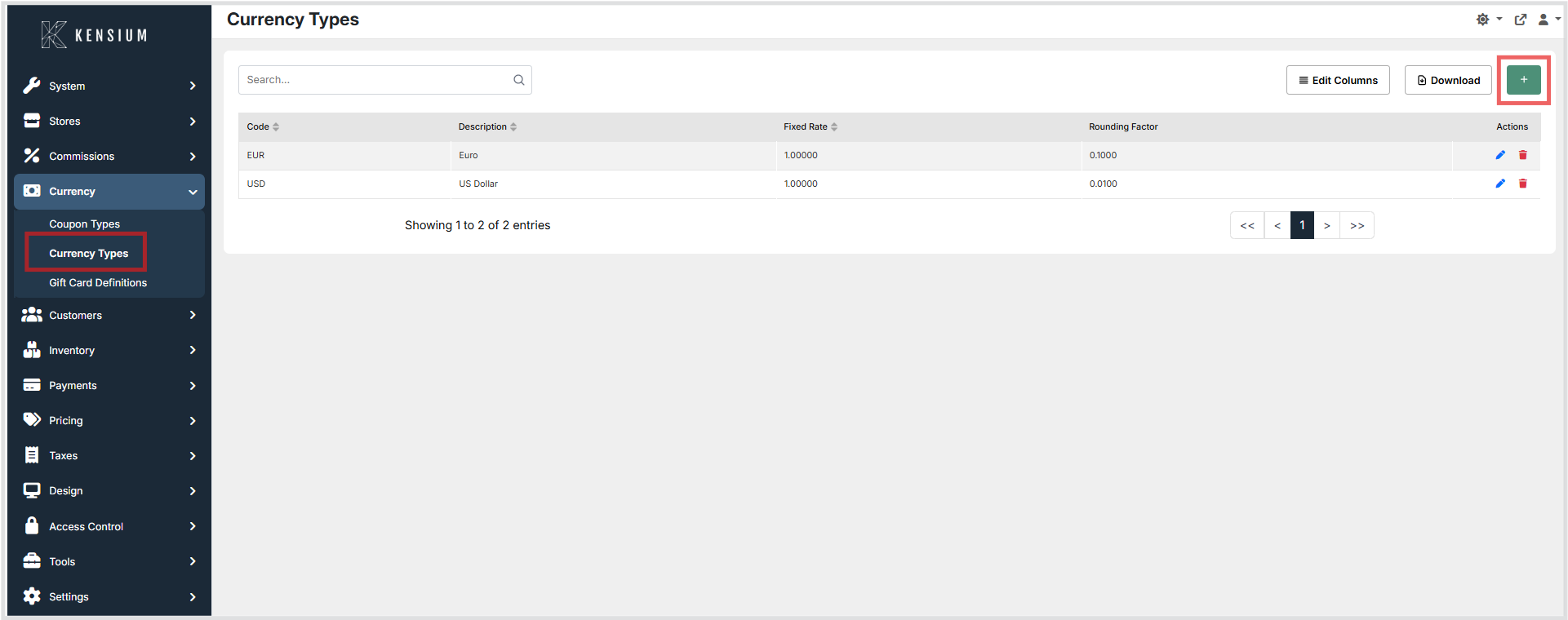
Currency → Currency Types
The Currency Types module allows administrators to define and manage the currencies accepted during point-of-sale transactions. Each currency type specifies a unique Code, a Description, a fixed Fixed Rate relative to the base currency, and a Rounding Factor that controls how amounts are rounded during calculations.
Currency types are referenced during transaction processing to convert amounts between currencies and to apply the correct rounding precision when displaying or recording monetary values.
Purpose of Currency Types
Currency types are used to:
- Define the currencies accepted at the point of sale
- Specify the exchange rate used to convert foreign currency amounts to the base currency
- Control the rounding precision applied to currency amounts during calculations
- Maintain a structured catalog of accepted currencies for the POS system
- Support multi-currency transaction processing across store locations
Creating or Editing a Currency Type
To create or modify a currency type:
- Navigate to
Currency → Currency Types. - Click the + button to create a new currency type, or click Edit next to an existing entry to modify it.
- Enter the relevant configuration details.
- Click Save to apply the changes, or Cancel to discard them.
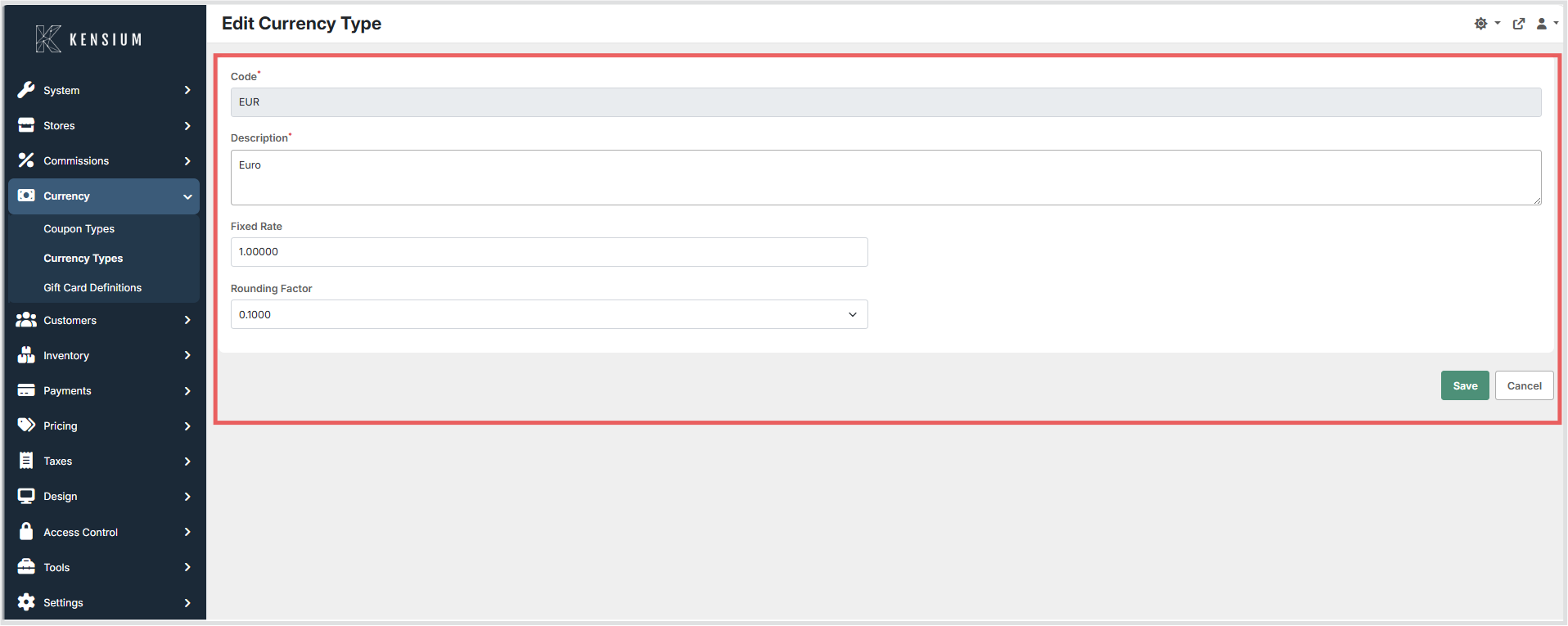
Once saved, the currency type becomes available for use during transaction processing based on the configured exchange rate and rounding factor.
Available Fields
| Field | Description | Field Behavior |
|---|---|---|
| Code | A unique identifier for the currency type. | Required. Must be unique across all currency types and acts as the primary key for the record. Typically set to the ISO 4217 currency code (for example, USD, EUR). Saving a duplicate code results in a validation error. |
| Description | A descriptive name for the currency type. | Required. Display name shown in the administration UI (for example, “US Dollar”). Does not affect conversion logic; it is used for identification and selection. |
| Fixed Rate | The exchange rate used to convert this currency to the base currency. | Required. Defaults to 1.0. Used by the POS to convert an amount in this currency to the base currency using the configured fixed exchange rate. Stored as a high‑precision decimal (decimal(32,16)). When saved, the value is also copied to internal buy/sell rate fields for legacy compatibility. Changes affect future calculations only; previously recorded transactions are not recalculated. |
| Rounding Factor | The precision increment used when rounding monetary amounts for this currency. | Required selection. Controls rounding during calculations and display by defining the smallest increment to round to (for example, 0.0100 rounds to the nearest cent; 1.0000 rounds to the nearest whole unit). Defaults to 0.0100 when not explicitly configured. Stored as decimal(18,5). Common values: 0.0001, 0.0010, 0.0100, 0.1000, 1.0000. |
Operational Considerations
- Use the ISO 4217 standard for currency codes (e.g.
USD,EUR,GBP) for consistency and interoperability. - Set the
Fixed Rateaccurately; review and update rates regularly to reflect market changes. - Select the
Rounding Factorappropriate to the currency. Most currencies use0.0100(2 decimal places). Currencies without minor units (e.g.JPY) should use1.0000. - The
Codefield must be unique. Attempting to save a currency type with a duplicate code will result in a validation error. - Modifying the
Fixed Rateaffects future transactions; historical transactions are not recalculated. - Buy and sell rates are set internally to the same value as
Fixed Ratefor legacy compatibility.