Automatic Item Surcharges
| Summary Information | |
|---|---|
| Menu Path: | Inventory — Automatic Item Surcharges |
| Required Feature(s): | Inventory |
Navigation:
Inventory → Automatic Item Surcharges
The Automatic Item Surcharges module allows administrators to define and manage surcharge rules that are automatically applied to specific item classes when items are added to a sale. Examples of surcharge types include "Bottle Deposit" and "Environmental Fee". Each configuration specifies a unique Surcharge Type Code, an Item Class identifying the surcharge items to apply, a Description, and the Associated Inventory Locations where the surcharge should take effect.
By configuring automatic item surcharges, organizations can ensure that the correct processing fees, handling charges, or other location-specific surcharges are automatically added to items when processed through the POS system at the assigned locations.
Purpose of Automatic Item Surcharges
Automatic item surcharges are used to:
- Standardize the application of surcharges for specific item classes.
- Apply surcharges automatically based on the inventory location where the transaction occurs.
- Reduce manual entry errors by defining surcharges at the system level for consistency.
- Provide location-specific rules to accommodate varied regional or operational requirements.
Creating or Editing an Automatic Item Surcharge
To configure a new surcharge rule or modify an existing one:
- Navigate to
Inventory → Automatic Item Surcharges. - Click the + button to create a new automatic item surcharge, or use the grid Actions to edit an existing entry.
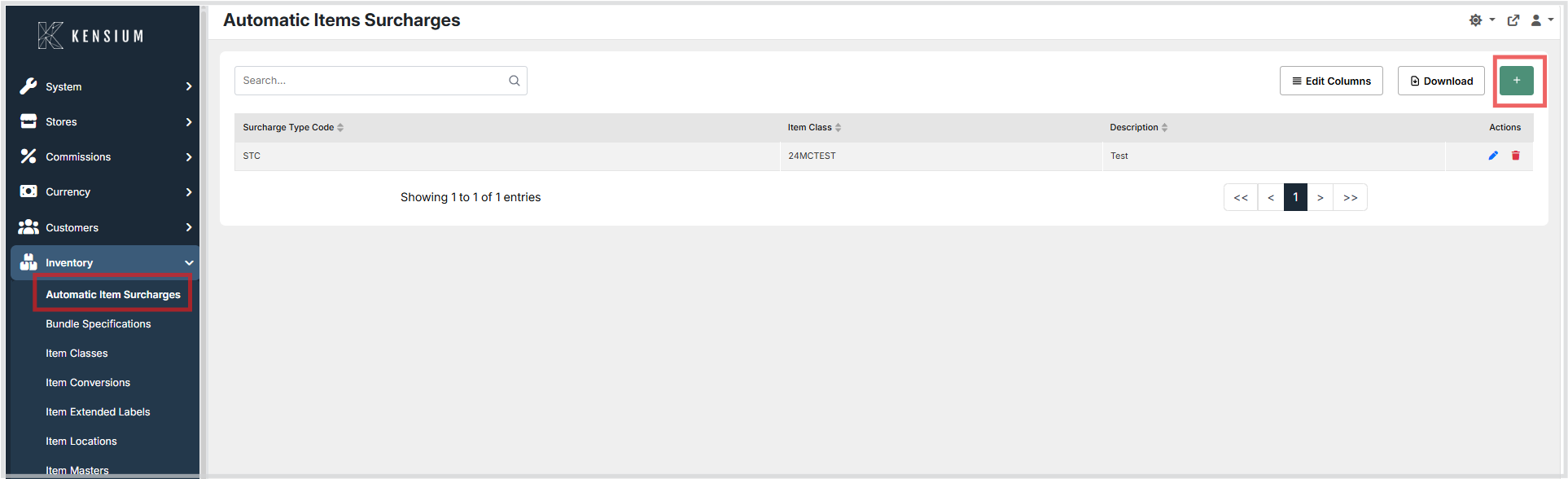
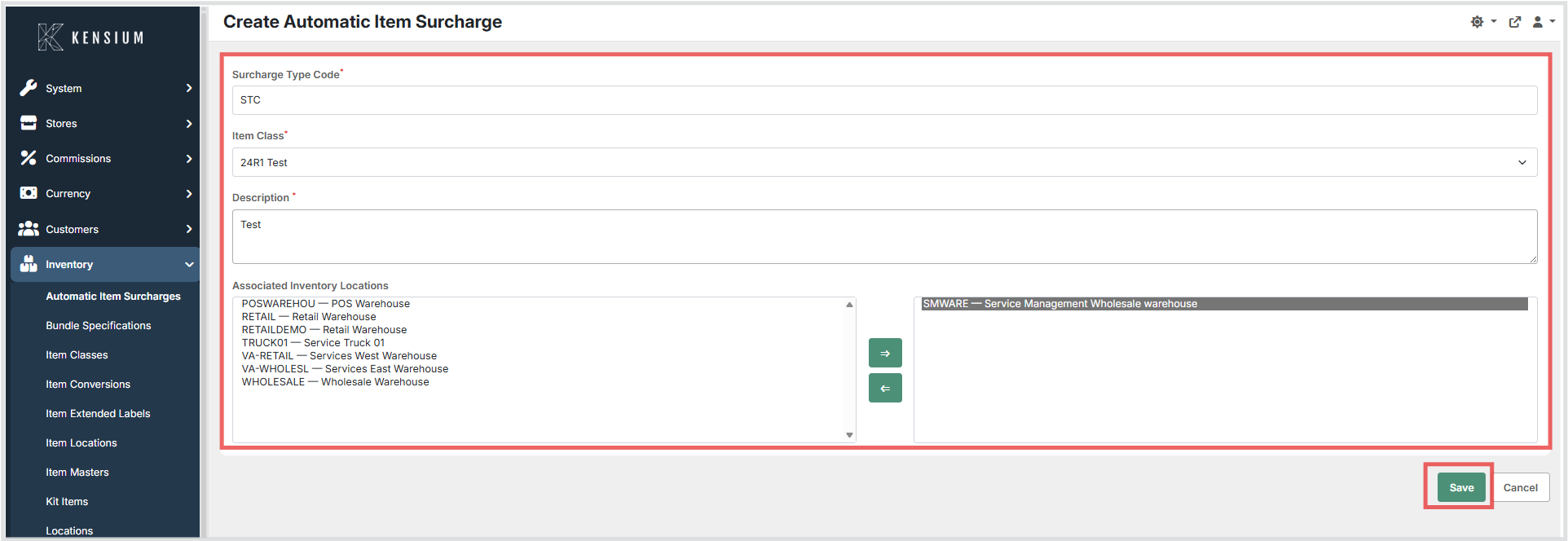
- Enter the relevant configuration details.
- Select the Associated Inventory Locations using the dual list box. Identify the required locations in the unassociated list on the left and use the transfer buttons to move them to the associated list on the right.
- Click Save to apply the configuration, or Cancel to discard the changes.
Available Fields
| Field | Description | Field Behavior |
|---|---|---|
| Surcharge Type Code | A unique code identifying the type of surcharge to apply. | Required. Specifies what category of surcharge is triggered when a qualifying item is added to a sale. |
| Item Class | The item class of the surcharge items to apply. | Required. Identifies which item class contains the surcharge items that will be added. Only item classes marked as a Surcharge Class can be selected. This should not be confused with the item class of the item being sold. |
| Description | A brief description of the surcharge rule. | Required. Explains the purpose of this specific surcharge configuration. |
| Associated Inventory Locations | The specific locations where this surcharge rule is active. | Selection. Uses a dual-pane selector. The surcharge will only apply at the locations shown in the right-side associated list. |
Operational Considerations
- Ensure the Surcharge Type Code accurately represents the type of fee required by your accounting or ERP system.
- Validate the selected Item Class to avoid applying surcharges to unrelated inventory items. Only item classes with the Surcharge Class setting enabled are available for selection.
- Surcharges will only apply to transactions occurring at the designated Associated Inventory Locations. Regularly review the selected locations to ensure they reflect current operational requirements.
- Modifications to surcharge configurations apply to future transactions only and will not retroactively adjust prior completed transactions.