Admin Navigation
Understanding the menu structure and permissions in the admin interface.
The Left Navigation Menu
The admin interface uses an expandable/collapsible left sidebar menu organized by functional areas:
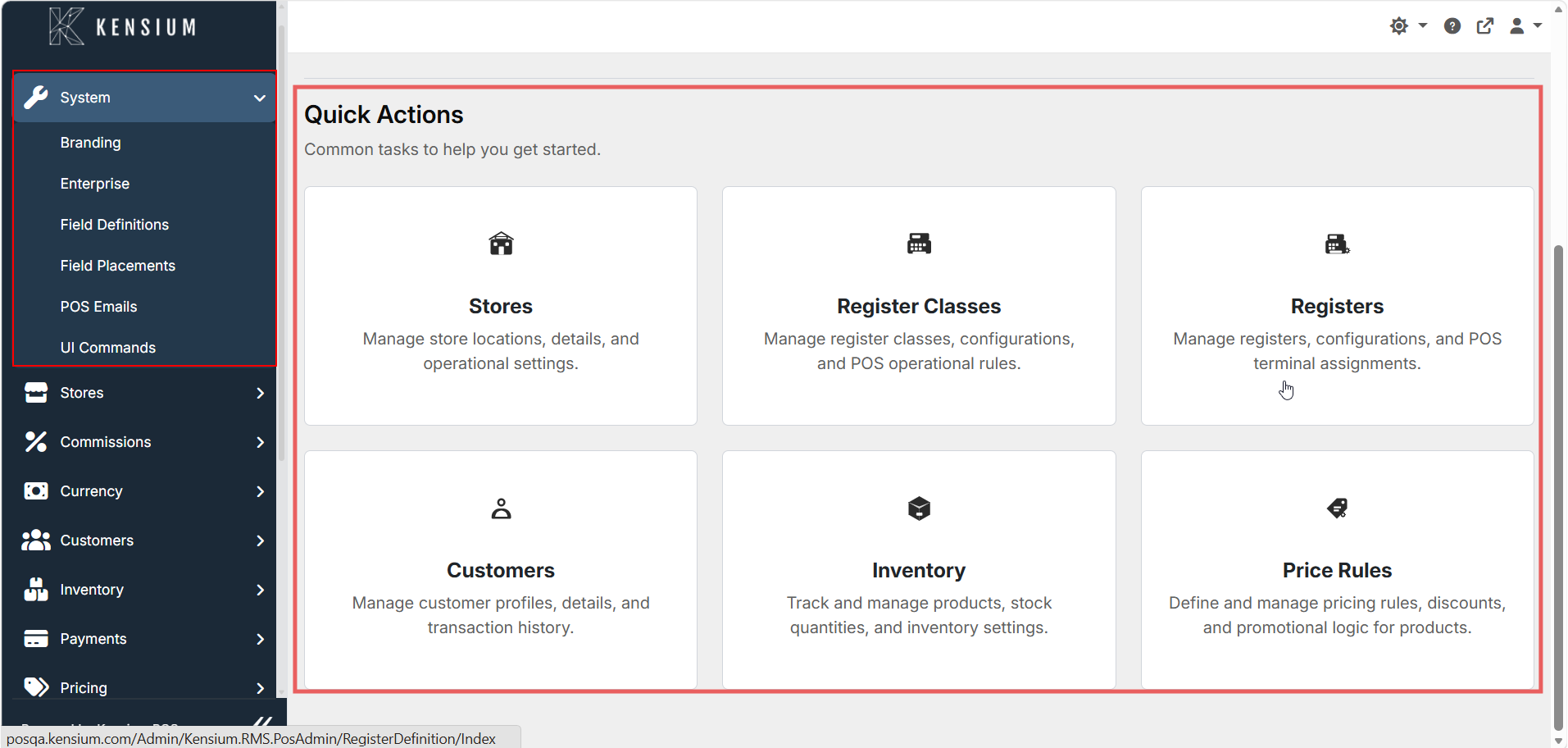
How it works:
- Click the arrow (►) to expand a menu section
- Click the arrow (▼) to collapse a menu section
- Click a menu item to go to that page
- Sub-items appear indented under expanded sections
What You See Depends on Permissions
Your menu changes based on your user role:
- System Admin - See all menu sections
- Store Manager - See Stores, Inventory, Customers, Payments, Pricing, Reports (limited System)
- Limited Roles - See only allowed sections; greyed-out items = no access
You can't access features your role doesn't permit. Ask your administrator to grant access if you need a feature.
Corporate vs Standalone Site Menus
Corporate Site (or Single-Store Site)
Full menu with all sections - Manage multiple stores, inventory, users, payment gateways, etc.
Menu includes: - System (Enterprise settings, Branding, Field Definitions) - Stores (Multiple store locations) - Users & Security - Inventory (Central product catalog) - Pricing & Promotions - Payments (Gateway configuration) - Taxes - Customers - Commissions - And more
Standalone Store
Reduced menu - Limited to local store operations only.
Menu typically includes: - Stores (Your store only) - Registers & Devices - Local Inventory adjustments - Basic settings
⚠️ Enterprise features (user management, payment gateways, pricing rules) may not appear or may be read-only.
Quick Access - Action Cards
Below the navigation menu, quick action cards appear on the main dashboard:
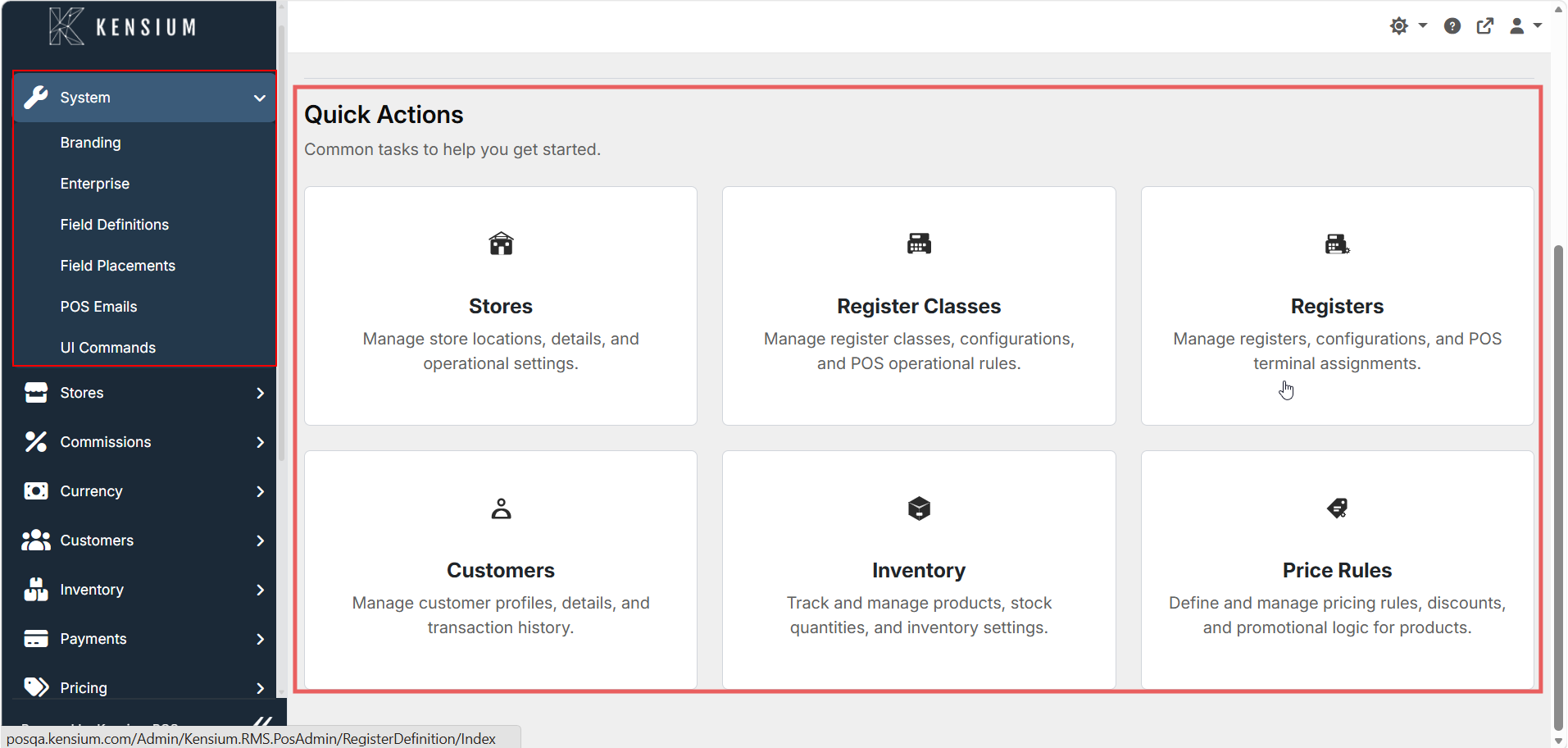
These are shortcuts to common setup tasks. Click any card to jump to that section.
Menu Organization
| Menu Section | Purpose |
|---|---|
| System | Enterprise settings, branding, field definitions |
| Stores | Store locations, register assignments |
| Users & Security | User accounts, roles, permissions, access control |
| Inventory | Products, categories, stock management |
| Pricing | Price sheets, discounts, promotional rules |
| Payments | Payment methods, gateway setup |
| Taxes | Tax classes and schedules |
| Customers | Customer profiles, classes, credit terms |
| Commissions | Commission plans for staff |
| Reports | Sales reports, reconciliation, analytics |
Tips
- Search: Most pages have a search box to find items quickly
- Collapsed menu: Menu auto-collapses on mobile to save space
- Favorites: You can pin frequent sections for faster access
- Not found? Check if your role has permission, or look under System Settings