Sales (all)
Complete view of all sales transactions with advanced filtering, search capabilities, and reporting tools. View transaction details, manage statuses, and export data.
Navigation:
Discovery → Sales (all)
Filtering Sales
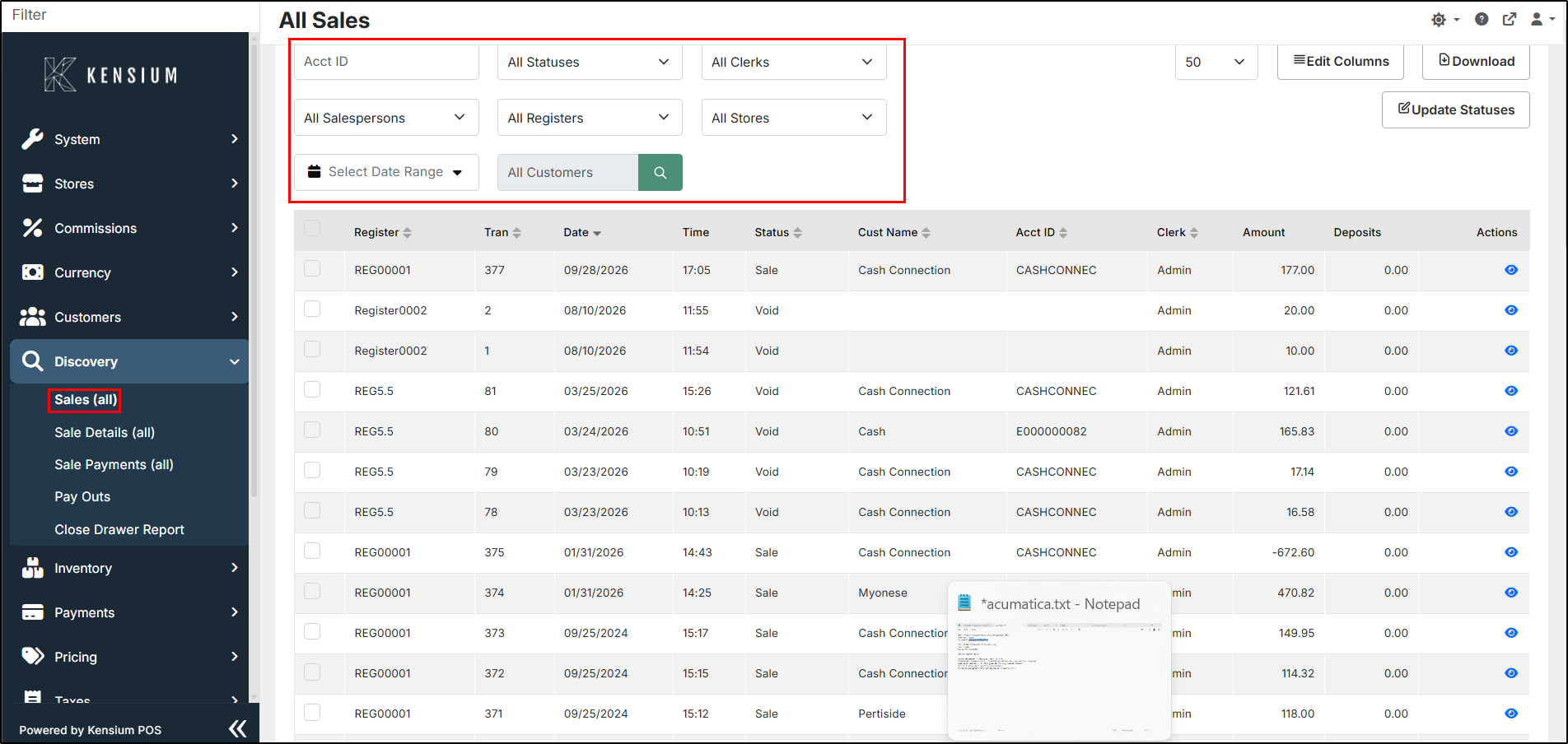
Combine filters to find exactly what you're looking for. All filters work together to narrow results.
How to Search
- Set your filters (combine multiple as needed)
- Click the search icon next to "All Customers" to apply filters
- Results appear in the table below
Understanding Results
The results table shows all matching transactions with these columns:
| Column | What It Shows |
|---|---|
| Register | Which terminal processed the sale |
| Tran | Transaction reference number |
| Date | Sale date (MM/DD/YYYY) |
| Time | Sale time (HH:MM) |
| Status | Current status (Sale, Void, Quote, etc.) |
| Cust Name | Customer name |
| Acct ID | Customer account ID |
| Clerk | Employee who processed it |
| Amount | Total transaction amount |
| Deposits | Deposit amount (if applicable) |
| Actions | View icon to see full details |
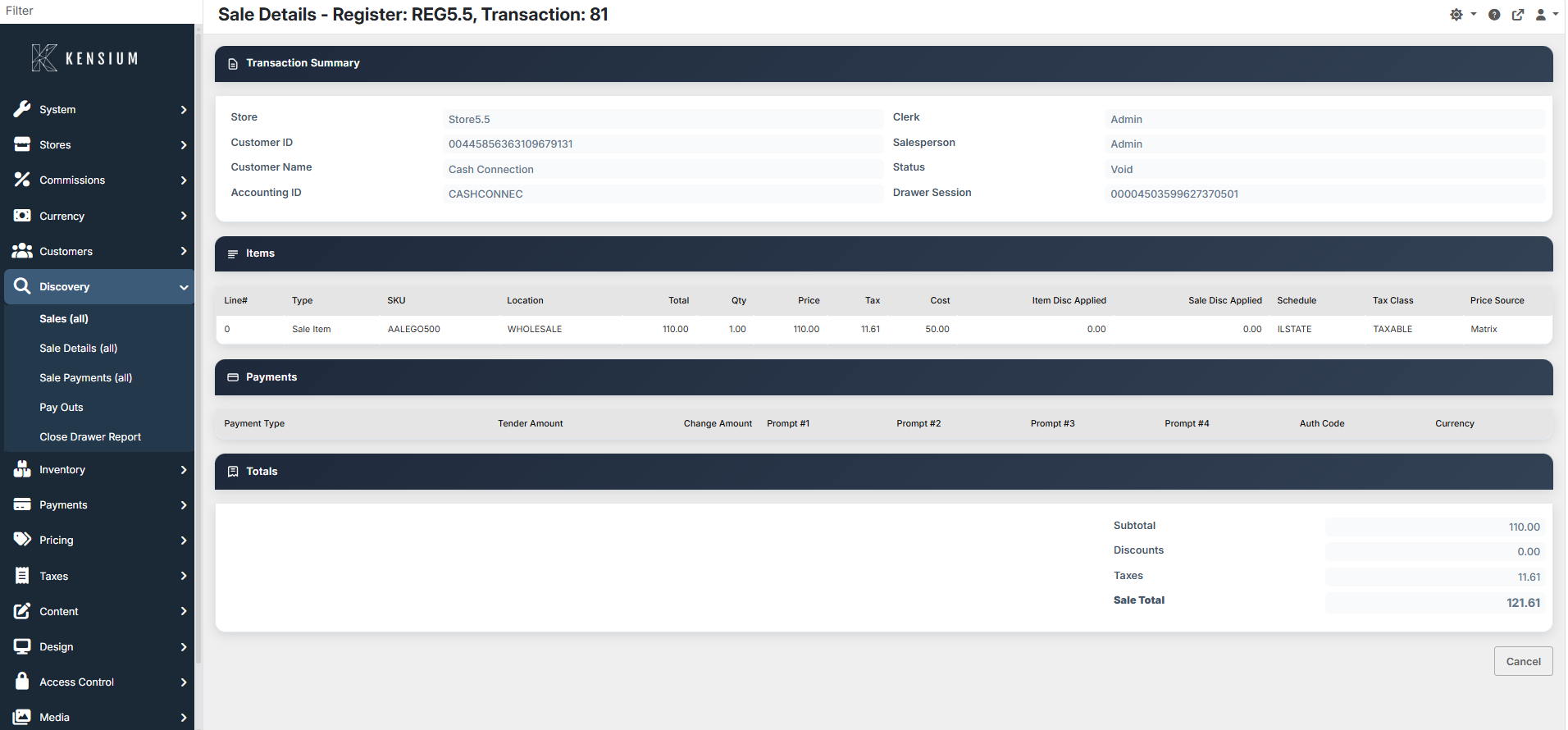
Click the eye icon in the Actions column to view complete transaction details.
Available Reports
You can generate several types of reports from this data:
Daily Sales Summary
- Total sales, tax collected, refunds
- Breakdown by payment method
- Use: End-of-day reconciliation
Transaction Detail Report
- Every transaction with all items, prices, and details
- Use: Detailed audit trails, inventory verification
Sales by Clerk Report
- Sales performance by employee
- Transaction count and average sale
- Use: Employee evaluation, sales tracking
Sales by Register Report
- Sales grouped by register/terminal
- Use: Register performance analysis
Sales by Status Report
- Transactions grouped by status (Sale, Void, Quote, etc.)
- Use: Understanding transaction flow
Sales by Customer Report
- All transactions for each customer
- Use: Customer purchase history, loyalty tracking
Payment Method Summary
- Totals by payment type (Cash, Card, Check, etc.)
- Use: Payment reconciliation
Tax Report
- Tax collected by location and tax class
- Use: Tax filing and compliance
Discount Report
- All discounts given and who authorized them
- Use: Discount policy verification
Refund Report
- Refunds processed with reasons
- Use: Product quality analysis, returns tracking
Related Documentation
Remember
All transactions are permanently recorded for audit compliance. Combine filters for precise results. Use Download to export data for external reporting. All reports include visible columns only. Select transactions with checkboxes to perform bulk actions.