Bundle Specifications
| Summary Information | |
|---|---|
| Menu Path: | Inventory — Bundle Specifications |
| Required Feature(s): | Inventory |
Navigation:
Inventory → Bundle Specifications
The Bundle Specifications module allows administrators to define and manage bundle specifications for inventory items. This feature provides a standardized way to configure serial number tracking, templates, and associated descriptions for specific items that are handled as bundles.
By configuring bundle specifications, organizations can ensure that items sold or managed as bundles are correctly identified, serialized, and tracked, allowing for streamlined inventory management and operations throughout the POS system.
Purpose of Bundle Specifications
Bundle specifications are used to:
- Standardize the serial number generation and formatting for specific items.
- Provide clear and detailed descriptions for bundled items or serialized inventory configurations.
- Automatically maintain and increment the next available serial number sequence.
- Simplify the tracking and management of inventory items that require unique serialization.
Creating or Editing a Bundle Specification
To configure a new bundle specification or modify an existing one:
- Navigate to
Inventory → Bundle Specifications. - Click the + button to create a new bundle specification, or use the grid Actions to edit an existing entry.
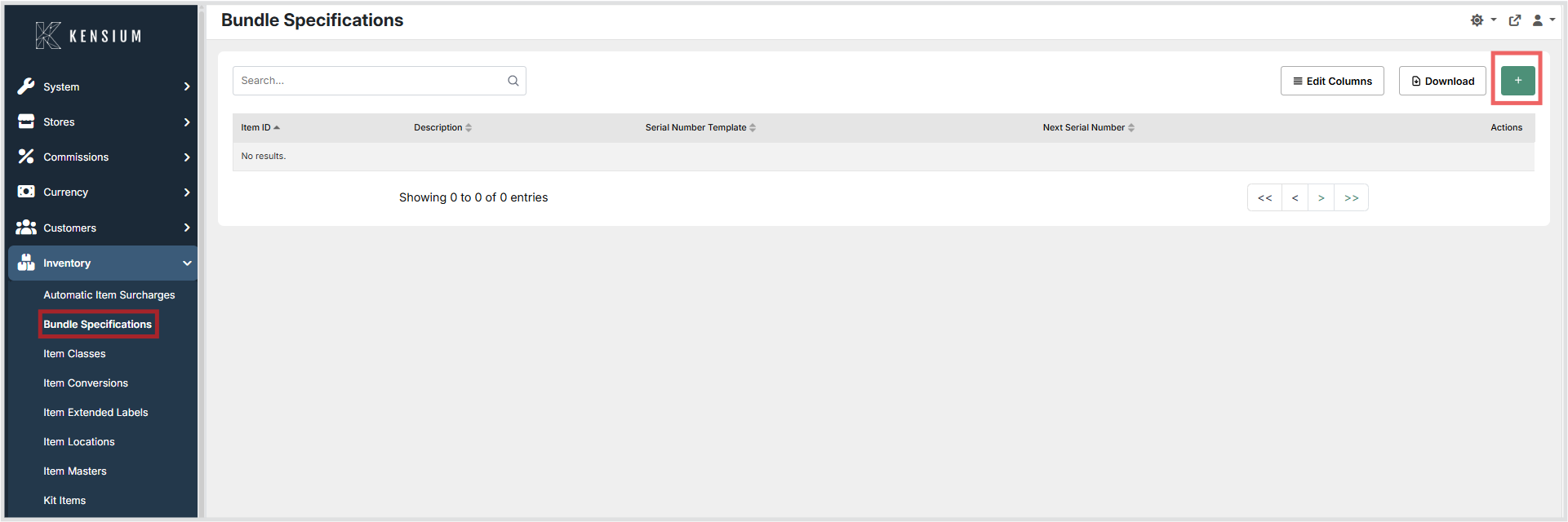
- Enter the relevant configuration details.
- Click Save to apply the configuration, or Cancel to discard the changes.
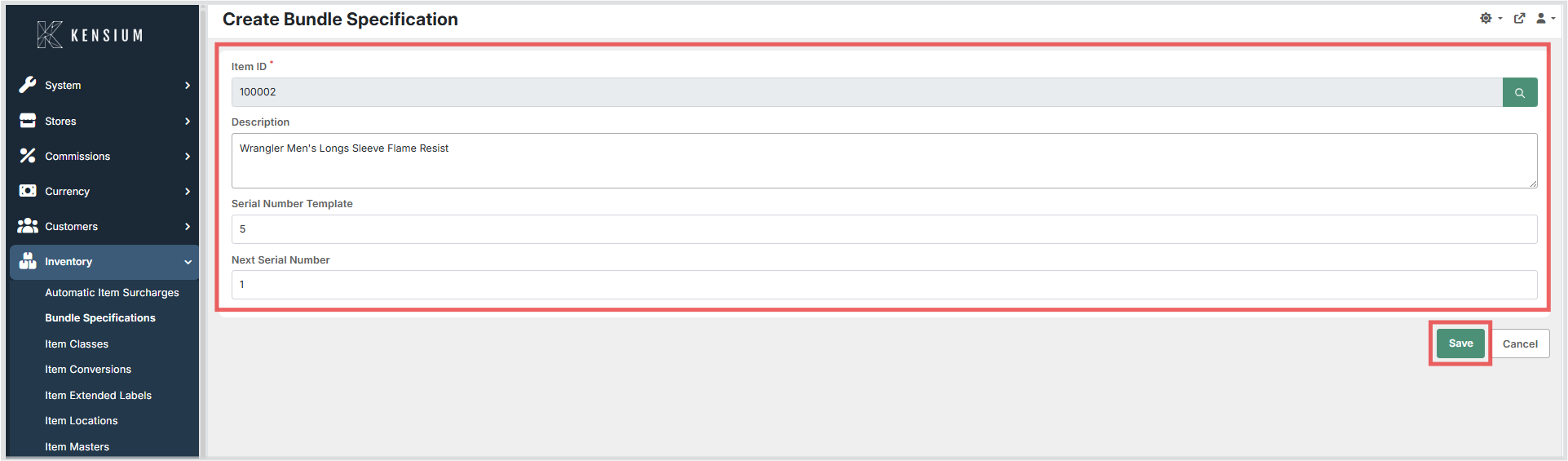
Available Fields
| Field | Description | Field Behavior |
|---|---|---|
| Item ID | The item that serves as the master item for the bundle. | Required. Must be unique. Identifies which item this bundle specification applies to. |
| Description | A description of the bundle specification. | Optional. Typically defaults to the description of the master item. |
| Serial Number Template | A prefix applied to the serial number for bundles created from this specification. | Recommended. Defines the format of serial numbers generated for this bundle. It is strongly recommended to set a value here to ensure consistent serial number formatting. |
| Next Serial Number | The next number to be used when generating a new serial number for this bundle. | Numeric input. Determines the starting point or current position of the serial number counter. |
Operational Considerations
- Ensure the Serial Number Template aligns with any character length or format constraints required by your accounting or ERP system.
- Verify the Next Serial Number value before saving to prevent duplicate serial numbers from being assigned to bundled items.
- Changes to the serial number configuration apply to future serial number assignments only and will not update previously generated serial numbers.