Sales Events
| Summary Information | |
|---|---|
| Menu Path: | Pricing — Sales Events |
| Required Feature(s): | Pricing |
Navigation:
Pricing → Sales Events
The Sales Events module allows administrators to create and manage named promotional events used by pricing and reporting workflows. A sales event is a small record containing a name and an optional description, used to label promotions, seasonal campaigns, or other time-limited activities.
Purpose of Sales Events
Sales events are used to:
- Provide a named label for promotions and seasonal campaigns across the system.
- Support reporting workflows by associating transactions with a specific event.
- Maintain a consistent reference for short-lived or recurring promotional activities.
Creating or Editing a Sales Event
To create a new sales event or modify an existing one:
- Navigate to Pricing → Sales Events.
- Click the green + button to open the create form.
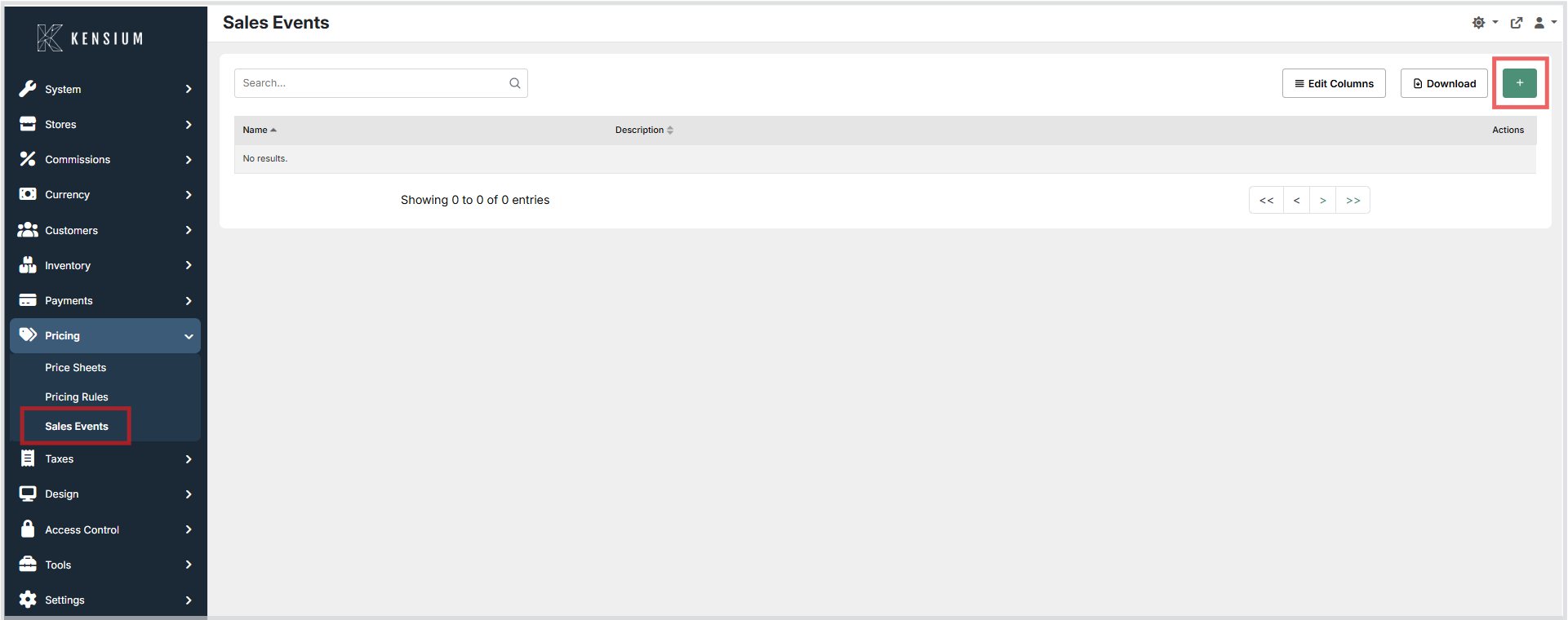
- Enter a clear Name (required) and an optional Description.
- Click Save to apply the configuration.
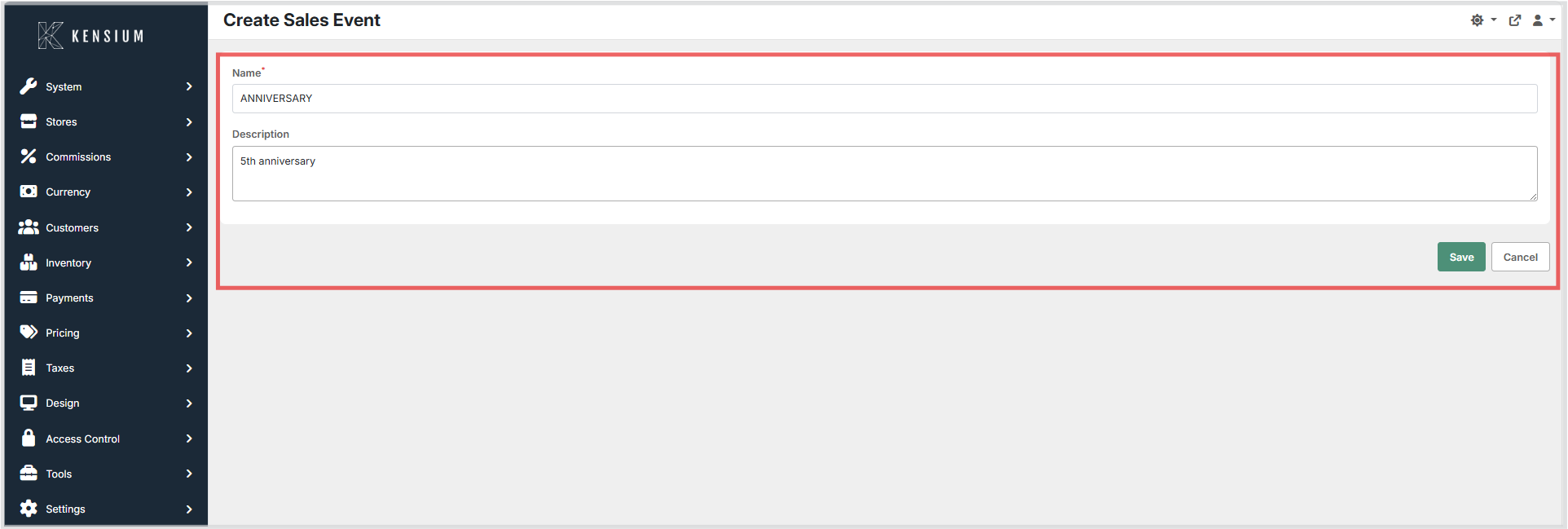
To edit an existing sales event, open it from the list, update the fields, and click Save.
Available Fields
| Field | Description | Field Behavior |
|---|---|---|
| Name | The short, human-readable name for the sales event. | Required. Used as the primary label in lists and logs. |
| Description | A longer explanation of the event's purpose. | Optional. Use to provide context for staff and reports. |
Operational Considerations
- Use meaningful names that make reports and receipts easy to read.
- Avoid renaming an event once it has been referenced by historical data or integrations. Treat names as stable labels.
- Only users with appropriate admin rights should create or modify sales events.