Customer Price Groups
| Summary Information | |
|---|---|
| Menu Path: | Customers — Customer Price Groups |
| Required Feature(s): | Customers |
Navigation:
Customers → Customer Price Groups
The Customer Price Groups module allows administrators to define and manage price group codes used to apply customer-specific pricing within the system. These codes provide a structured way to assign distinct pricing tiers to customers based on their purchasing category or business relationship.
Customer price groups help maintain consistency in pricing workflows, support targeted discounting or wholesale arrangements, and ensure that the correct pricing is applied uniformly to all customers within a given group.
Purpose of Customer Price Groups
Customer Price Groups are used to:
- Provide a standardized pricing tier for customer records
- Support customer segmentation for pricing, discounting, and wholesale arrangements
- Enable consistent price group assignment across stores and operational workflows
- Improve filtering and lookups when applying pricing rules to large customer lists
Each customer price group represents a predefined pricing tier that can be assigned to a customer record.
Creating or Editing a Customer Price Group
To create or modify a customer price group:
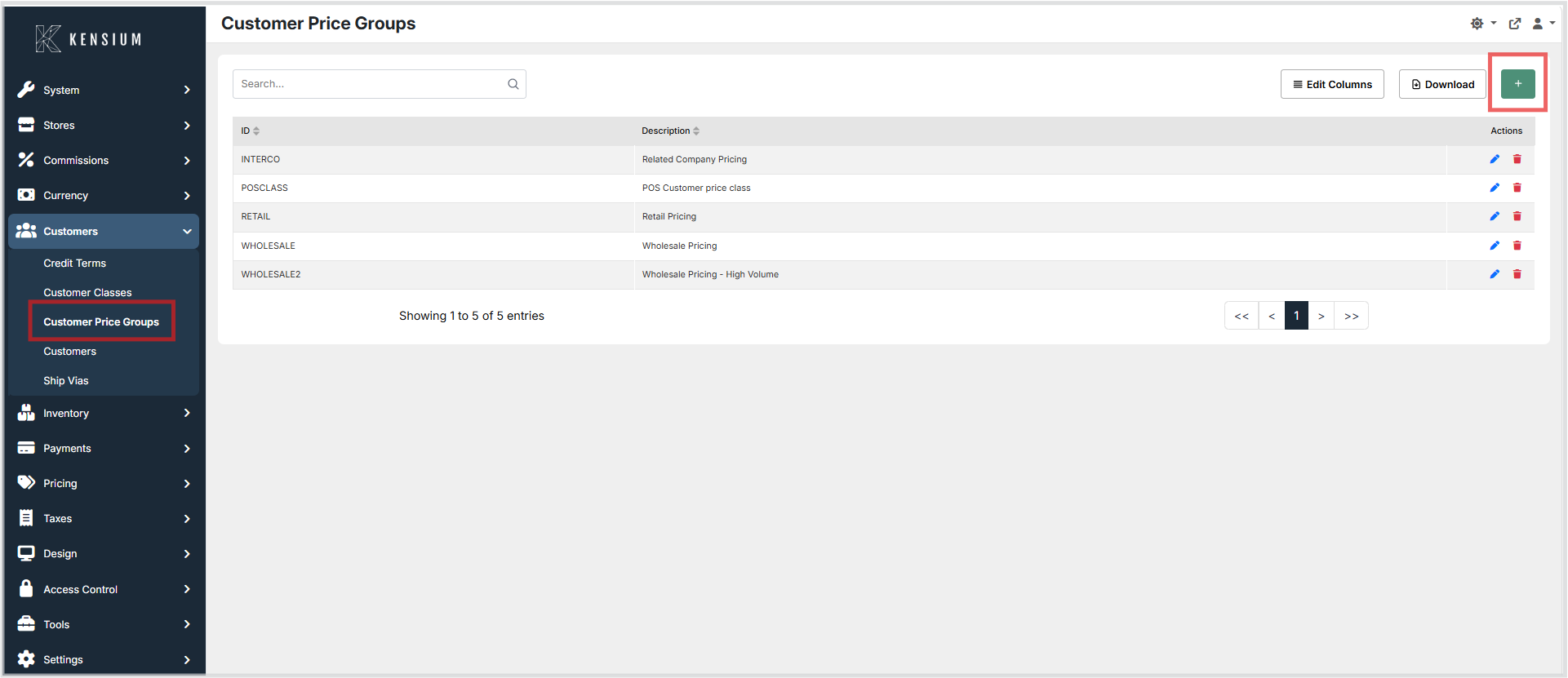
- Navigate to Customers → Customer Price Groups.
- Click the + button to create a new customer price group, or choose an existing customer price group to edit.
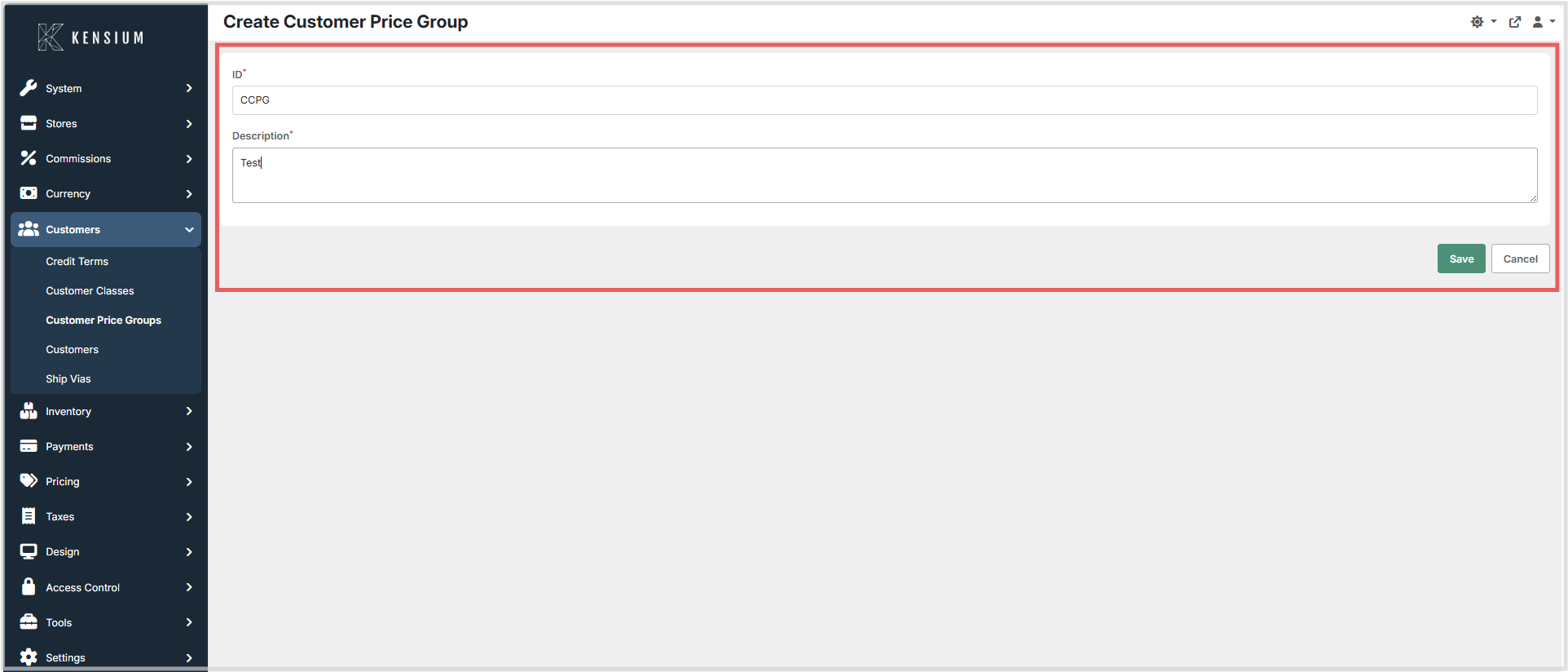
- Enter the required information.
- Click Save to apply the changes.
Available Fields
| Field | Description | Field Behavior |
|---|---|---|
| ID | Unique identifier used to represent the customer price group within the system. | Required. The value must be unique and is used internally to reference the price group across customer records and pricing rules. Once assigned to customer records, changing this value is not recommended as it may affect existing pricing references. |
| Description | A descriptive explanation of the customer price group to help administrators and users understand its pricing intent. | Required. Displayed in the administrative interface to clarify when the price group should be assigned and what pricing tier it represents. |
Operational Considerations
- Customer price group IDs should follow a consistent naming convention to maintain clarity across the system.
- IDs should remain stable after creation to preserve data integrity in existing customer records and pricing configurations.
- Administrators should avoid creating duplicate IDs that represent the same pricing tier.
- Descriptions should clearly indicate the intended pricing level or customer segment associated with each price group.
Example
| ID | Description |
|---|---|
RETAIL |
Standard retail pricing |
WHOLESALE |
Customer wholesale pricing |
PREFERRED |
Preferred customer pricing |
In this example, each ID represents a distinct pricing tier that can be assigned to customer records to ensure the correct price schedule is applied during transactions.