Customer Classes
| Summary Information | |
|---|---|
| Menu Path: | Customers — Customer Classes |
| Required Feature(s): | Customers |
Navigation:
Customers → Customer Classes
The Customer Classes module allows administrators to define and manage classification codes used to categorize customers within the system. These codes provide a structured way to group customers by type, segment, or operational category.
Customer classes help maintain consistency in customer management, improve reporting accuracy, and support operational workflows by ensuring customers are properly categorized across the system.
Purpose of Customer Classes
Customer Classes are used to:
- Provide a standardized classification for customer records
- Support customer segmentation for reporting and analysis
- Enable consistent grouping across stores and operational workflows
- Improve filtering and lookups when working with large customer lists
Each customer class represents a predefined category that can be assigned to a customer record.
Creating or Editing a Customer Class
To create or modify a customer class:
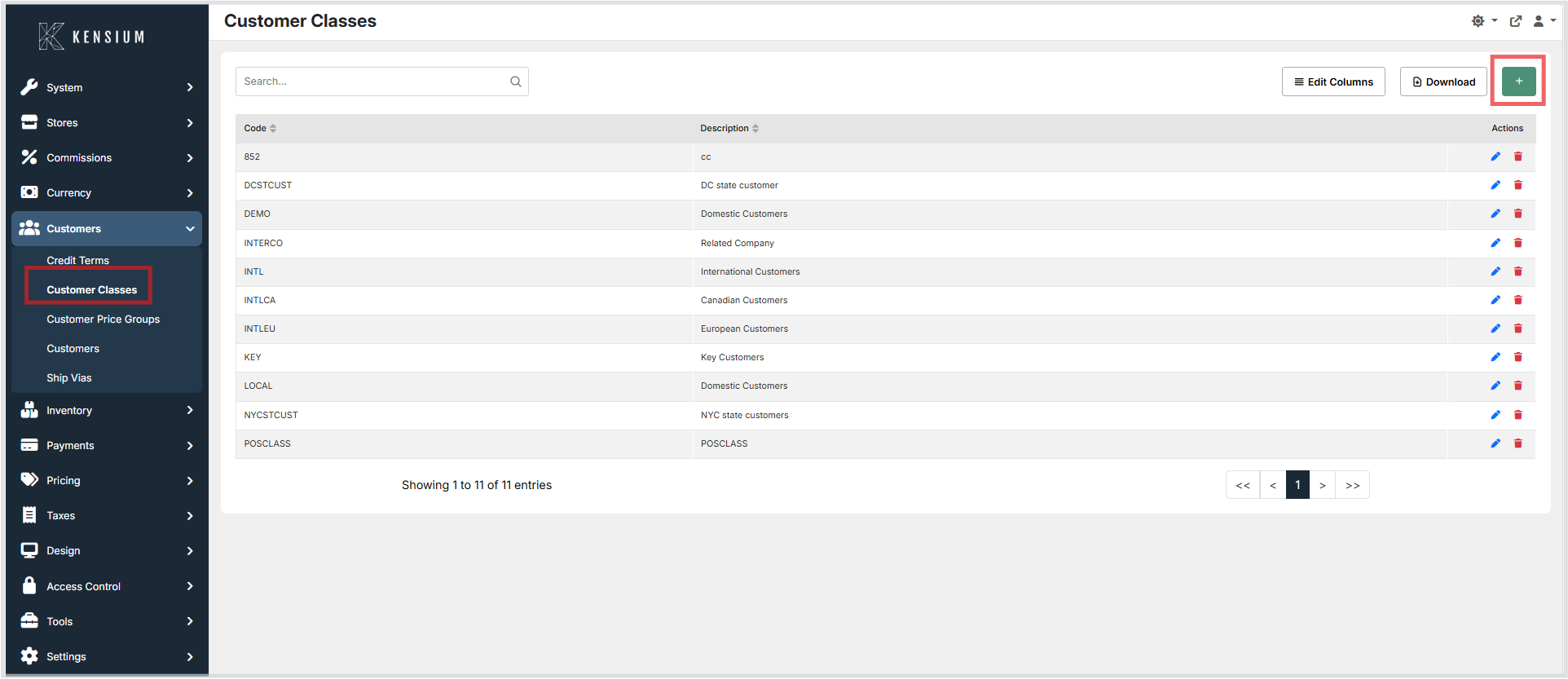
- Navigate to Customers → Customer Classes.
- Click the + button to create a new customer class, or choose an existing customer class to edit.
- Enter the required information.
- Click Save to apply the changes.
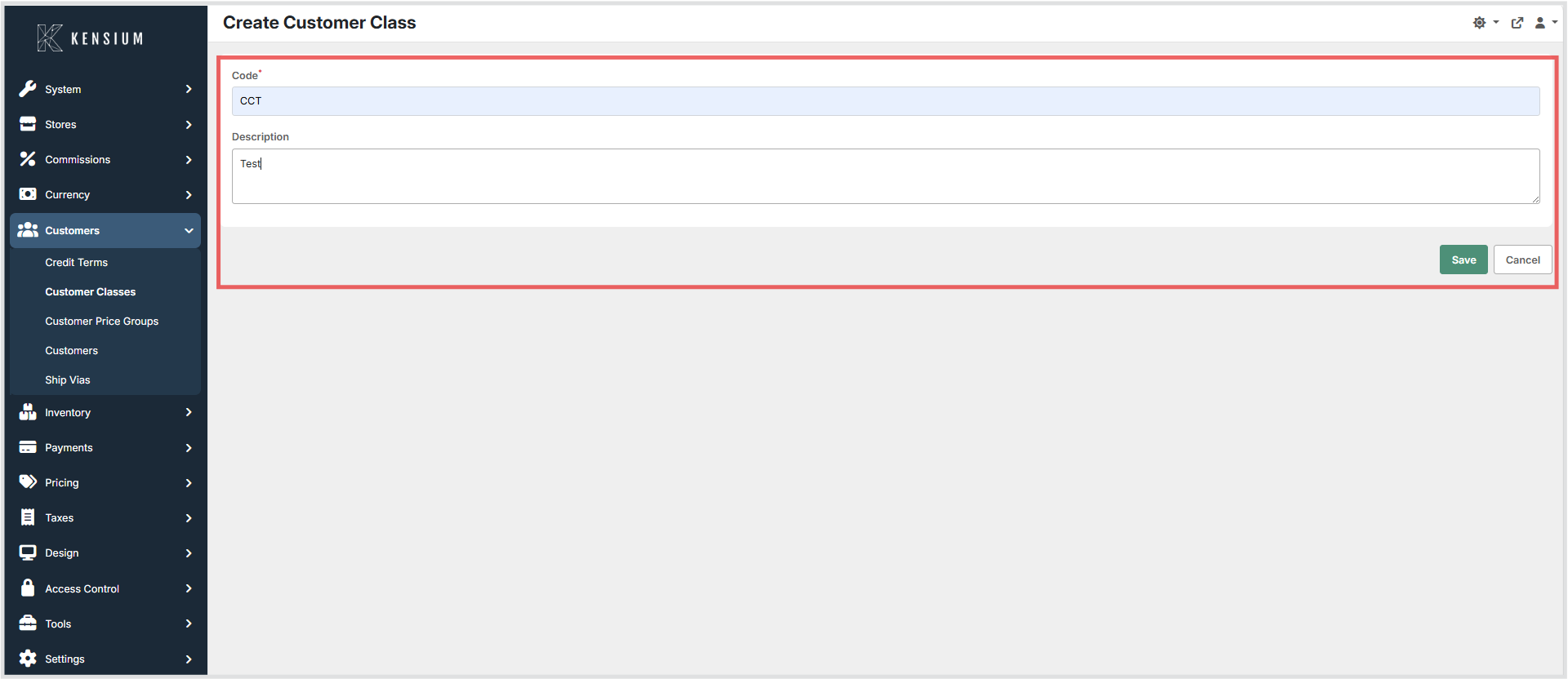
Available Fields
| Field | Description | Field Behavior |
|---|---|---|
| Code | Unique identifier used to represent the customer class within the system. | Required. The value must be unique and is used internally to reference the customer class across customer records and reporting. Once assigned to customer records, changing this value is not recommended as it may affect existing references. |
| Description | A descriptive explanation of the customer class to help administrators and users understand its purpose. | Optional. Displayed in the administrative interface to clarify when the customer class should be assigned. |
Operational Considerations
- Customer class codes should follow a consistent naming convention to maintain clarity across the system.
- Codes should remain stable after creation to preserve data integrity in existing customer records.
- Administrators should avoid creating duplicate codes that represent the same customer category.
- Descriptions should clearly indicate the intended use of each customer class.
Example
| Code | Description |
|---|---|
RETAIL |
Retail Customers |
WHOLESALE |
Wholesale Customers |
VIP |
VIP Customers |
In this example, each code represents a distinct customer segment that can be assigned to customer records to enable targeted reporting and classification.