Register Definitions
| Summary Information | |
|---|---|
| Menu Path: | Stores — Register Definitions |
| Required Feature(s): | Stores |
Navigation:
Stores → Register Definitions
The Register Definitions module allows administrators to configure individual registers (POS terminals, checkout counters, or virtual registers) used for transaction processing within a store. Each register definition binds a specific terminal to a store and defines its processing behavior, inventory locations, and associated classes.
Registers act as the primary touchpoints for sales and returns, ensuring that transactions are correctly routed, inventory is updated in the appropriate locations, and reporting is accurate.
Purpose of Register Definitions
Register Definitions are used to:
- Provide a configuration point for physical or virtual POS terminals
- Link transactions to specific inventory locations for stock decrements and returns
- Assign default personnel and transaction behaviors
- Segment reporting data by specific terminals
- Control register-specific permissions and workflows via Register Classes
Creating or Editing a Register Definition
To create or modify a register definition:
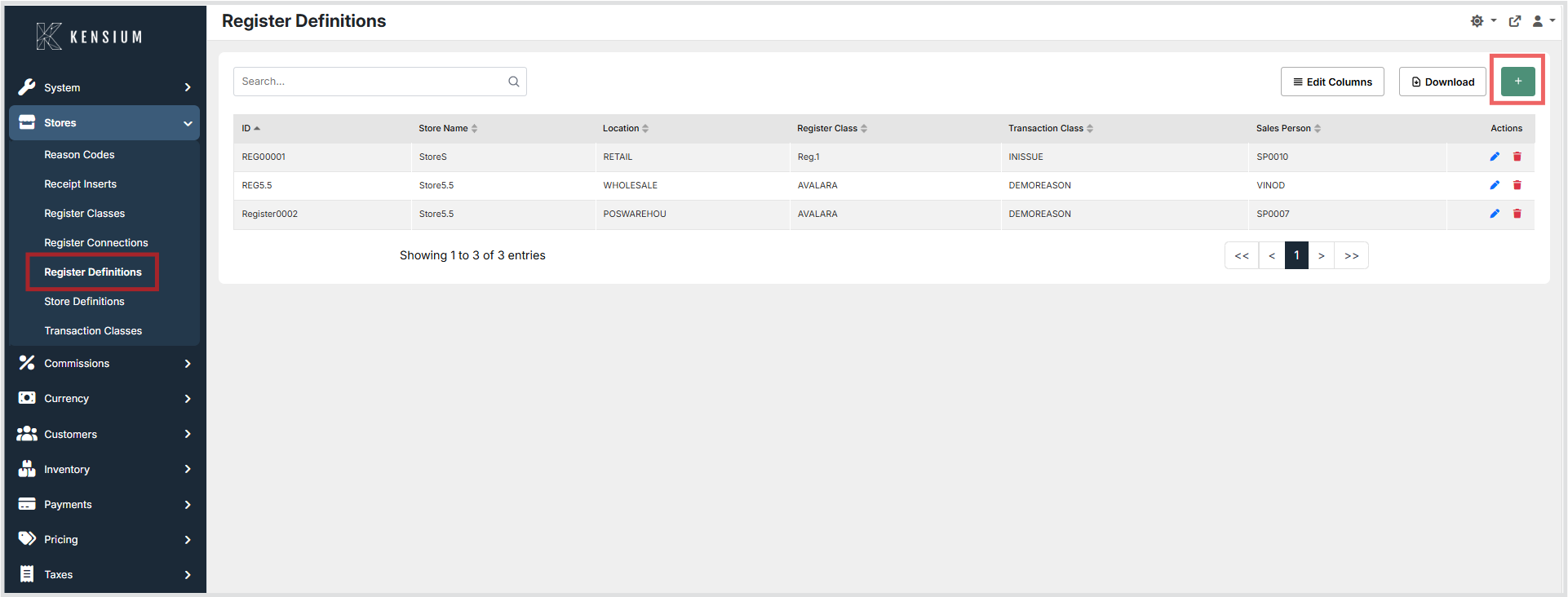
- Navigate to Stores → Register Definitions.
- Click the + button to create a new register definition, or choose an existing register to edit.
- Enter the required information.
- Click Save to apply the changes.
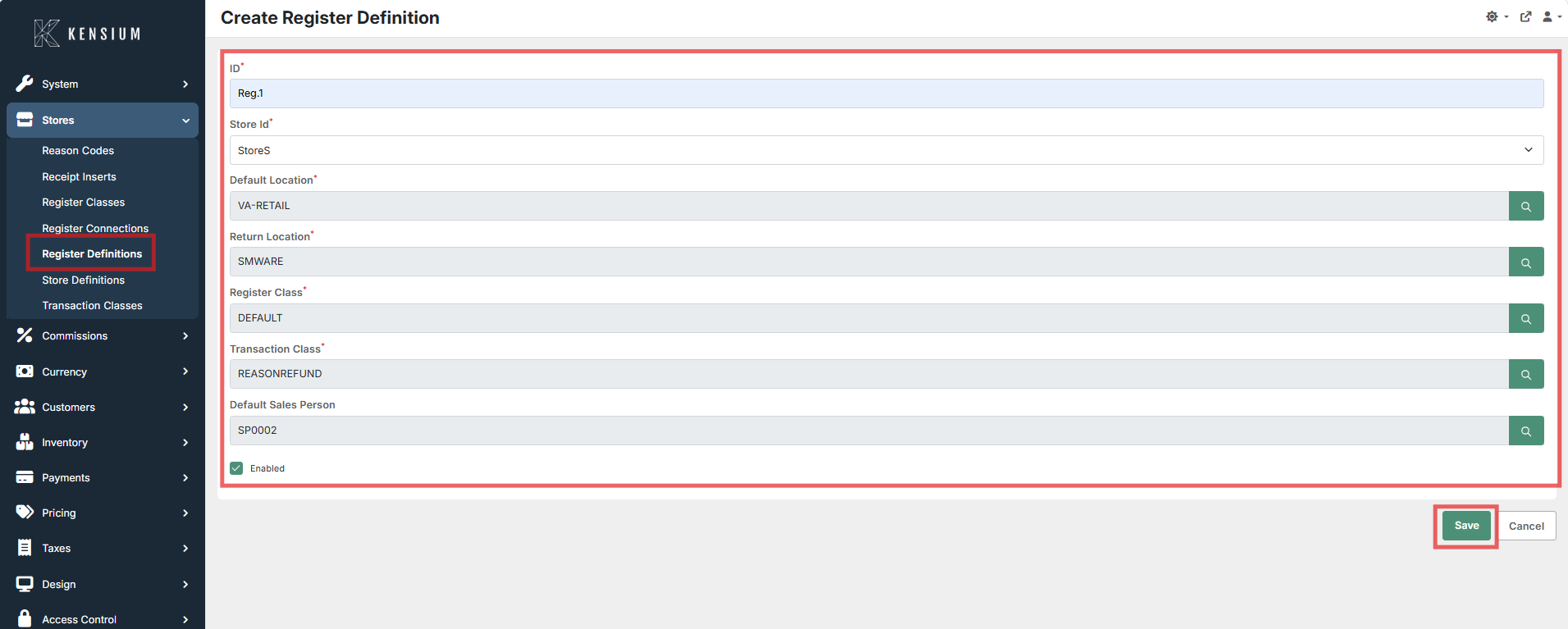
Available Fields
| Field | Description | Field Behavior |
|---|---|---|
| Id | Unique identifier for the register. | Manually assigned unique ID used to reference the register in transactions. |
| Store Id | The store to which this register belongs. | Registers are store-specific. This association ensures transactions update the correct store's data. |
| Default Location | The default inventory location for sales (stock decrement). | Must be a valid location associated with the selected store. Used automatically for sales unless overridden. |
| Return Location | The inventory location used to receive returned items. | Items returned at this register will be added to this inventory location. |
| Register Class | Classification that defines the register's behavior and permissions. | Applies a pre-configured set of rules and workflows to the register. |
| Transaction Class | Grouping classification for transactions generated by this register. | Used for reporting and determining downstream processing logic for transactions. |
| Default Sales Person | The default salesperson assigned to transactions at this register. | Automatically populates the salesperson field on new transactions, but can be overridden. |
| Enabled | Indicates if the register is active. | If disabled, the register cannot be used for new transactions but remains in historical reports. |
Operational Considerations
- Prerequisites: Stores, Inventory Locations, Register Classes, and Transaction Classes must be configured before creating a register definition.
- Data Integrity: Inventory locations assigned to a register must belong to the selected Store ID.
- Deactivation: Disabling a register prevents new transactions but preserves historical data. Deleting a register with existing transactions is not recommended.
- Scalability: Multiple registers can be defined per store to support high-volume environments.
Example
| Id | Store Id | Default Location | Return Location | Register Class | Transaction Class | Enabled |
|---|---|---|---|---|---|---|
REG-01 |
Main Store |
Floor |
Returns Bin |
Standard POS |
Retail Sales |
True |
In this example, REG-01 is a standard retail register linked to the Main Store, deducting stock from the Floor and accepting returns into the Returns Bin.