Manufacturers
| Summary Information | |
|---|---|
| Menu Path: | Inventory — Manufacturers |
| Required Feature(s): | Inventory |
Navigation:
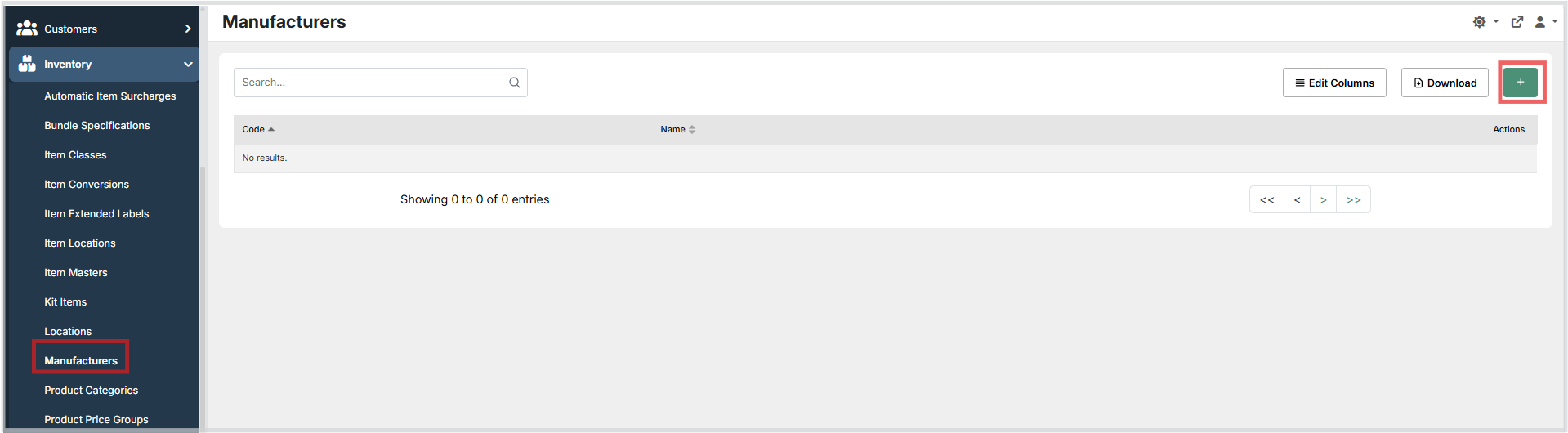
Inventory → Manufacturers
The Manufacturers module allows administrators to define and manage the list of manufacturers associated with inventory items. Each manufacturer record consists of a unique code and a descriptive name, providing a reference that can be linked to items throughout the system.
Maintaining an accurate manufacturer list supports product identification, reporting, and vendor management by ensuring that items can be consistently attributed to their source manufacturer.
Purpose of Manufacturers
Manufacturers are used to:
- Identify and categorize inventory items by their producing manufacturer.
- Provide a standardized code and name for each manufacturer across the system.
- Support filtering, searching, and reporting on inventory by manufacturer.
- Ensure data consistency when integrating with ERP or external systems that reference manufacturer codes.
Creating or Editing a Manufacturer
To create a new manufacturer or modify an existing one:
- Navigate to
Inventory → Manufacturers. - Click the + button to create a new manufacturer, or use the grid Actions to edit an existing entry.
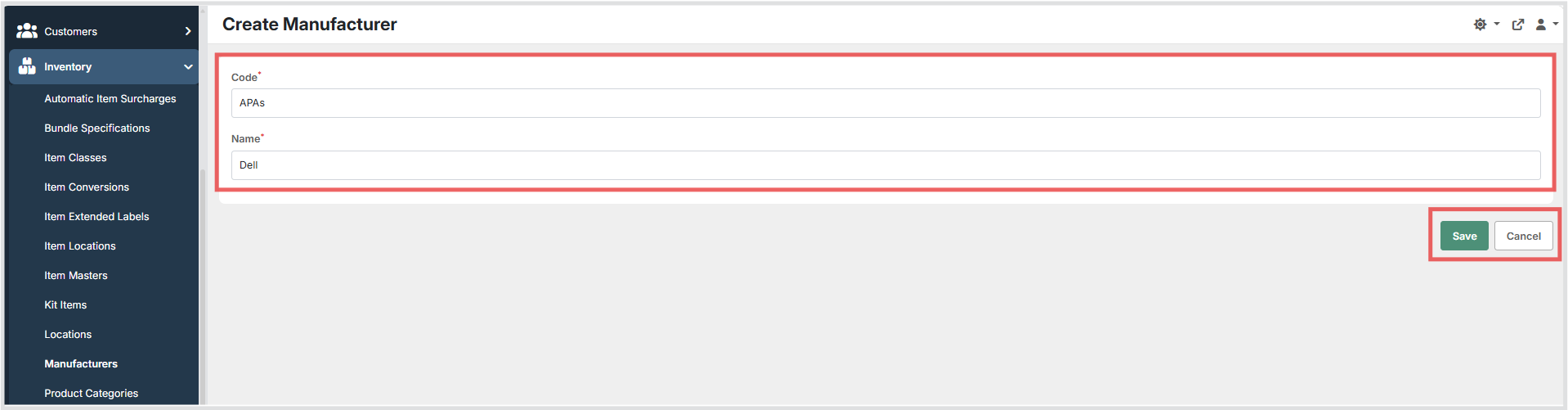
- Enter a unique Code to identify the manufacturer. This value must be unique across all manufacturer records.
- Enter the Name of the manufacturer.
- Click Save to persist the configuration, or Cancel to discard changes.
Available Fields
| Field | Description | Field Behavior |
|---|---|---|
| Code | A unique short code identifying the manufacturer. | Required. Must be unique across all manufacturers. |
| Name | The full descriptive name of the manufacturer. | Required. Displayed in lists and pickers throughout the system. |
Operational Considerations
- The Code field must be unique across all manufacturer records. Attempting to save a duplicate code will result in a validation error.
- Changes to a manufacturer's Code or Name will be reflected wherever the manufacturer is referenced in inventory items and reports.
- Deleting a manufacturer that is actively referenced by inventory items may cause data integrity issues - verify that no items reference the manufacturer before removing it.
Notes
- The manufacturers grid supports searching, column editing, and export/download actions.
- The create/edit form uses standard text inputs for both Code and Name.
- Both fields are required the form cannot be saved unless both Code and Name are populated.