Reason Codes
| Summary Information | |
|---|---|
| Menu Path: | Stores — Reason Codes |
| Required Feature(s): | Stores |
Navigation:
Stores → Reason Codes
The Reason Codes module allows administrators to define standardized reasons for specific transactional actions within the system. These codes provide structured explanations for events such as returns, refunds, voids, or other operational adjustments.
Reason codes help maintain transaction clarity, improve reporting accuracy, and support operational auditing by ensuring that actions performed during transactions are properly categorized.
Purpose of Reason Codes
Reason codes are used to:
- Provide a standardized explanation for transactional actions
- Support return and refund workflows
- Improve audit traceability
- Enable better reporting and operational analysis
- Maintain consistent operational procedures across stores
Each reason code represents a predefined justification that can be selected during transaction processing.
Creating or Editing a Reason Code
To create or modify a reason code:
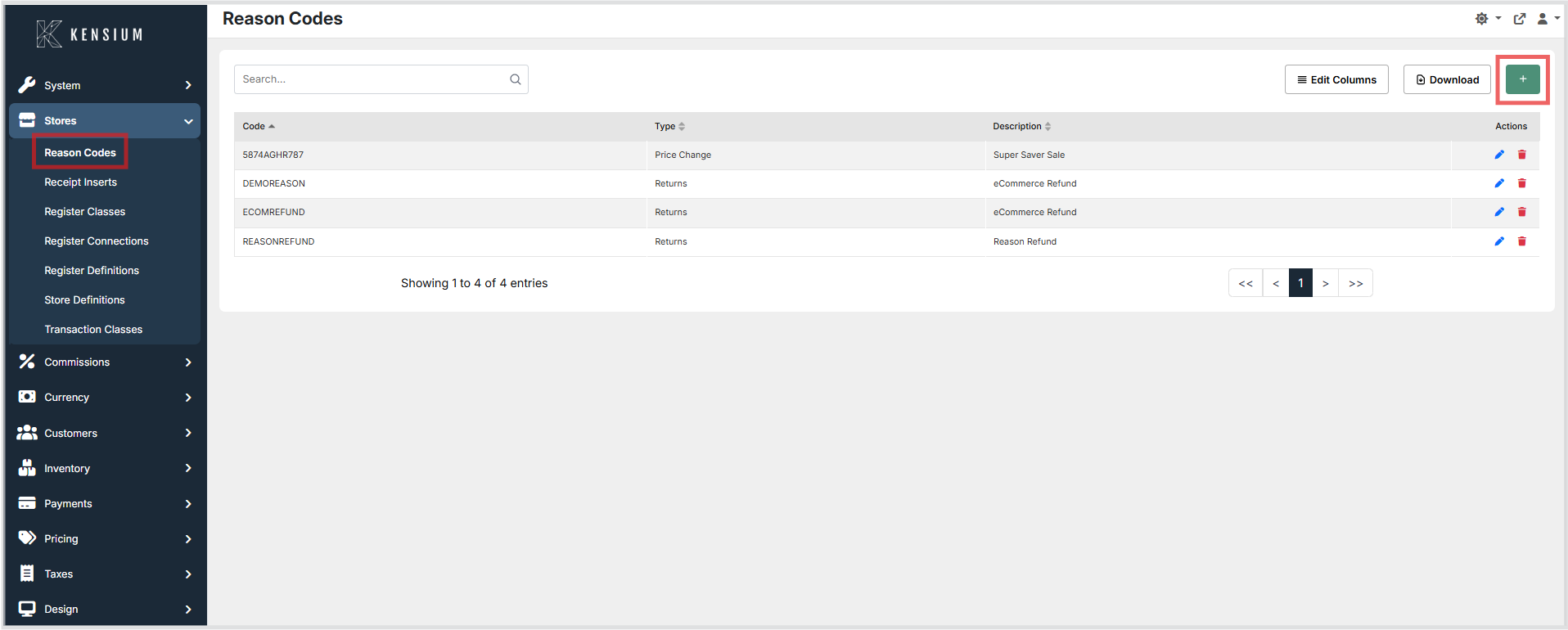
- Navigate to Stores → Reason Codes.
- Click the + button to create a new reason code, or choose an existing reason code to edit.
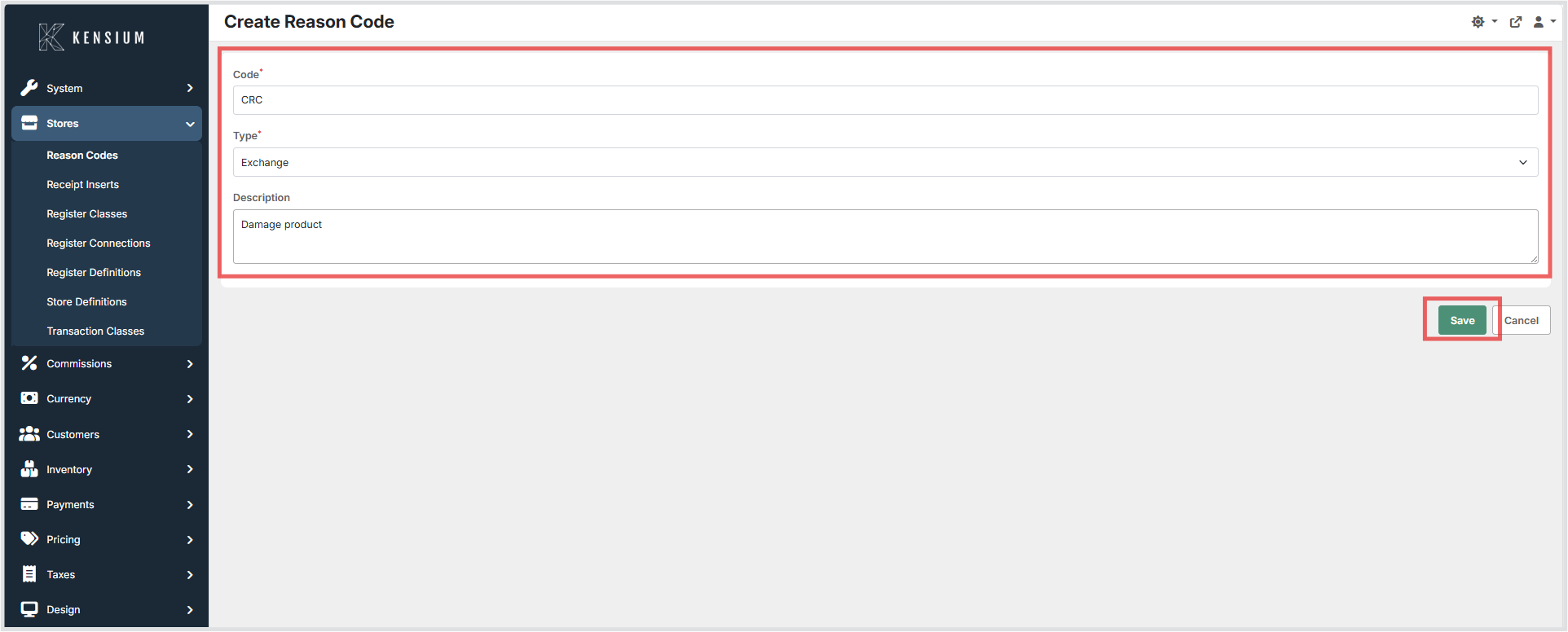
- Enter the required information.
- Click Save to apply the changes.
Available Fields
| Field | Description | Field Behavior |
|---|---|---|
| Code | Unique identifier used to represent the reason code within the system. | Required. The value must be unique and is used internally by the system to reference the reason code in transactions and reporting. |
| Type | Defines the category of the reason code, determining the transaction workflow it applies to. | Determines where the reason code can be applied within transaction workflows. The following types are available: Discount - Applied when a cashier or manager grants a price reduction on an item or sale. When selected, the reason code is recorded against the discount action, supporting audit trails and reporting on discount activity. Exchange - This option is no longer supported by POS 7 and greater. It is retained for backward compatibility; as an alternative, use the 'Return' type. Pay Out - Assigned to transactions where cash is paid out of the drawer, such as for petty cash expenses or vendor payments. When selected, the reason code documents the purpose of the cash removal for reconciliation and reporting. Price Change - Applied when the price of an item is manually altered during a transaction. When selected, the reason code captures the justification for the price change, ensuring price adjustments are traceable in transaction history. Returns - Used when a customer returns a product. When selected, the reason code is associated with the return transaction, providing structured justification for the return and supporting return workflow rules such as routing and reporting. |
| Description | A descriptive explanation of the reason code to help administrators and users understand its purpose. | Optional. Displayed in the administrative interface and during transaction selection to clarify when the reason code should be used. |
Operational Considerations
- Reason codes should follow a consistent naming convention to maintain clarity.
- Codes should remain stable after creation to preserve historical transaction records.
- Administrators should avoid creating duplicate codes that represent the same operational reason.
- Descriptions should clearly indicate when the reason code should be used.
Example
| Code | Type | Description |
|---|---|---|
DEMOREASON |
Returns | eCommerce Refund |
In this example, the reason code is used when a transaction involves returning an item associated with an eCommerce refund.