License
Manage your system license and installation. A valid license is required to operate the POS system. The license file controls how many registers can be activated and when the license expires. Upload your license file here to activate your system and view license details.
Navigation: System → License
What is a License?
Your license is a signed digital document (.lic file) issued by Kensium. It identifies your installation, controls how many POS registers you can activate, and specifies when the license expires. The document is not secret — it is specific to your installation only.
Upload License
- Click Choose File button
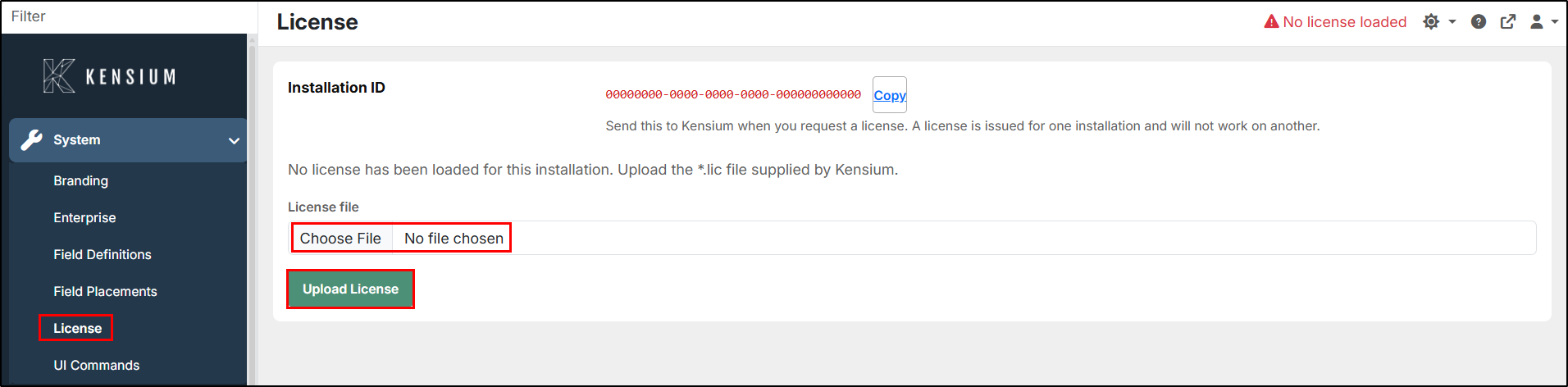
- Select the
.licfile provided by Kensium - Click Upload License
- License is validated and activated
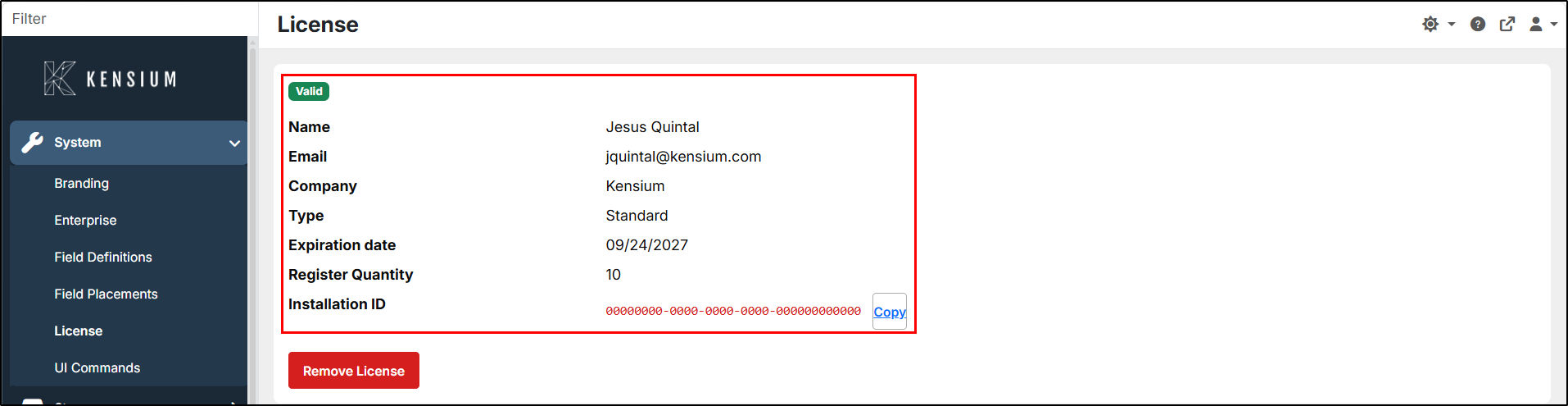
- System details appear once loaded
Before Uploading
Load the license BEFORE connecting registers. With no license, connecting a register is blocked at the Connect button. After changing the license, sign out of the till and back in for changes to take effect (the till caches license details at login).
License Details
| Field | Description |
|---|---|
| Licensee Name | The organization name on your license. Appears in login logs and system debug information. |
| Installation ID | Unique identifier for this POS installation. Provided by your system on first setup. Used to request license renewals from Kensium. |
| License File | The .lic file currently loaded. Valid for this installation only. |
| Quantity | Maximum number of POS registers that can be activated under this license. Additional registers require a license with higher quantity. |
| License Type | Either Standard (production) or Trial. Determines licensing terms. |
| Expiration Date | Date when the license expires. The system continues to work on the expiration date and stops the following day. A valid, unexpired license is required to operate. |
License Expiration
The system warns about approaching expiration in two places:
| When | Where | Who Sees It |
|---|---|---|
| 30 days before | Corporate System > License screen banner | Administrators |
| 7 days before | One-time dialog on the register menu | Each clerk at login |
Contact Kensium to renew your license before the expiration date. There is no grace period — the license becomes invalid the day after expiration.