Roles
The Roles page allows administrators to define role-based access control (RBAC) for the system.
Permissions are assigned at the role level, and users inherit permissions based on the roles assigned to them.
Navigation:
Access Control → Roles
Overview
Roles define what actions users can perform within the system.
- A role contains a set of permissions.
- Users can be assigned one or multiple roles.
- If multiple roles are assigned, permissions are combined.
The system creates standard roles during initial setup. Additional custom roles can be created and modified as needed.
Standard Roles
The system provides the following standard roles with default permission sets. Roles are listed from highest to lowest access level.
| Role | Description |
|---|---|
| Owner | Highest-level role: manages Kensium site configuration and all operations within an organization. |
| Manager | Manages Kensium site configuration and operations within a store. |
| Service Clerk | Provides customer/member service with inventory and purchase visibility. |
| Salesperson | Creates orders and sales (e.g. via OrderPad) with inventory access. |
| Fulfillment Clerk | Searches and fulfills orders with inventory access. |
| GraphQL User | Executes GraphQL queries via the Admin backend. |
| Payment Integration | Integrates with Terminal Payments for payment processing. |
| Order Integration | Integrates with POS Orders for quote management. |
Note
These standard roles are created during setup with default permission sets. Roles can be customized by modifying their permissions. Future POS upgrades will not override permissions assigned to any role.
System Roles
The system includes built-in system roles that provide special functionality:
| Role | Description |
|---|---|
| Administrator | Grants all permissions to assigned users. Assigned to the default admin user created during initial setup. |
| Anonymous | Represents all unauthenticated users with access to limited public content. |
These system roles appear in the Roles list and are marked as system roles. Permissions for system roles are predefined and managed by the system.
Role Permissions and Upgrades
Once a role is created:
- Default permissions are applied when a role is created.
- Future POS upgrades will not override the permissions assigned to any role.
- Customizations made to role permissions remain intact after upgrades.
Creating a Role
To create a new role:
- Navigate to
Access Control → Roles
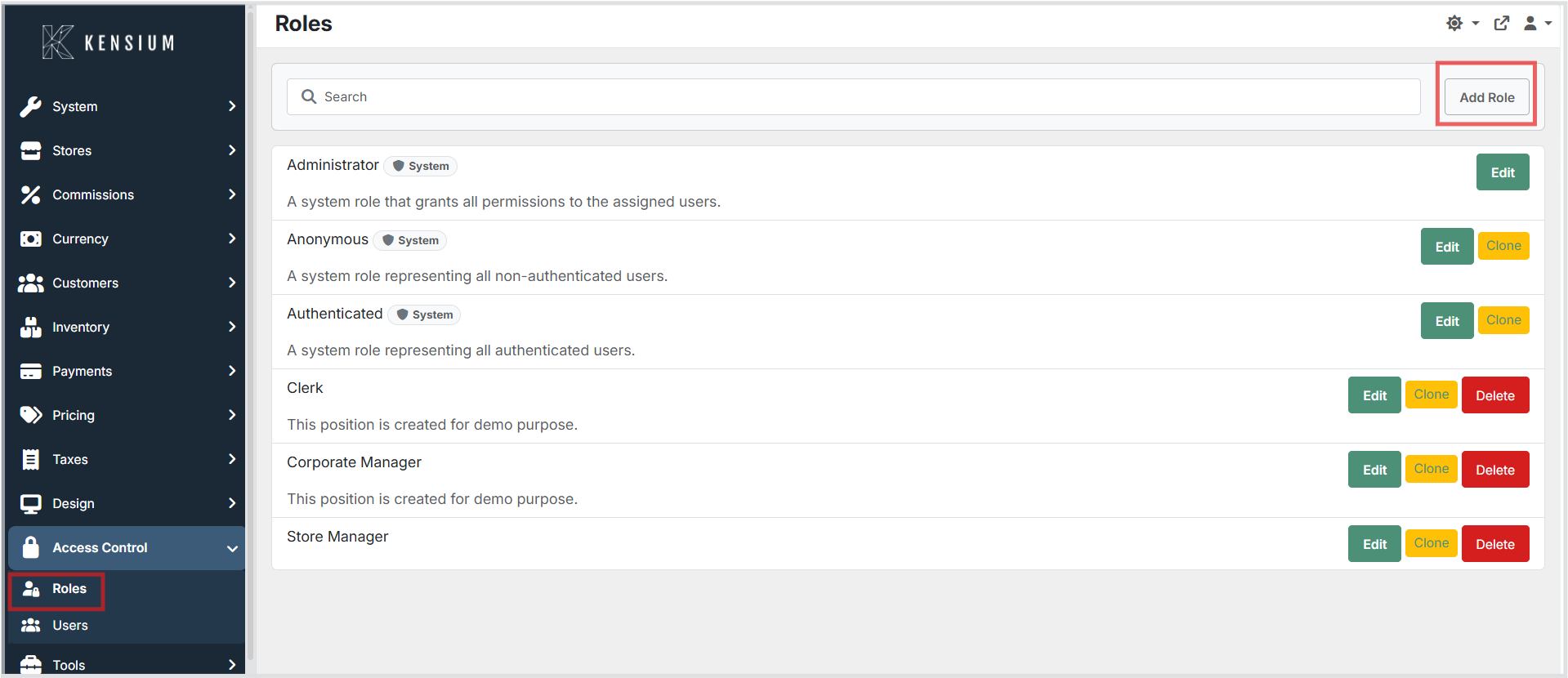
- Click Add Role
-
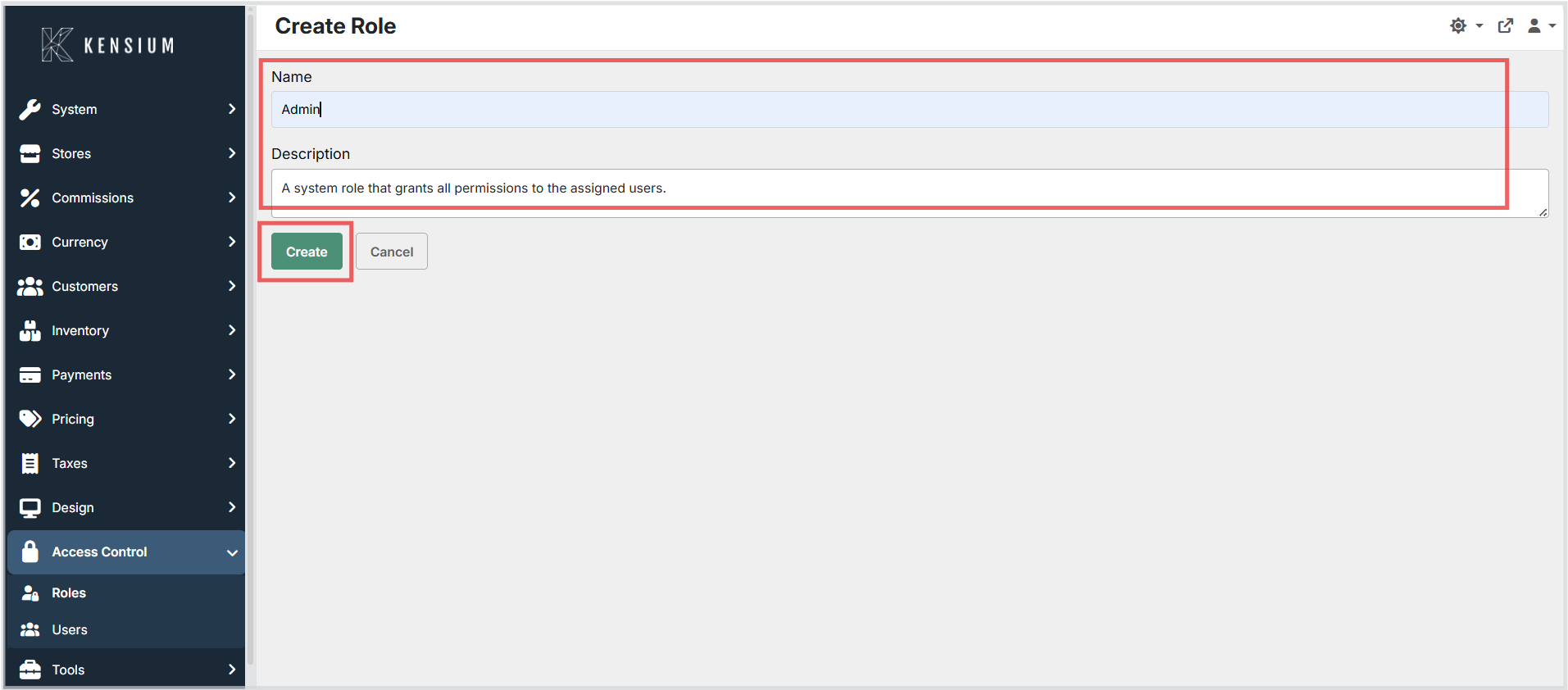
Enter:
-
Role Name
-
Description (optional)
-
Click Create to save the role
Editing a Role
To modify an existing role:
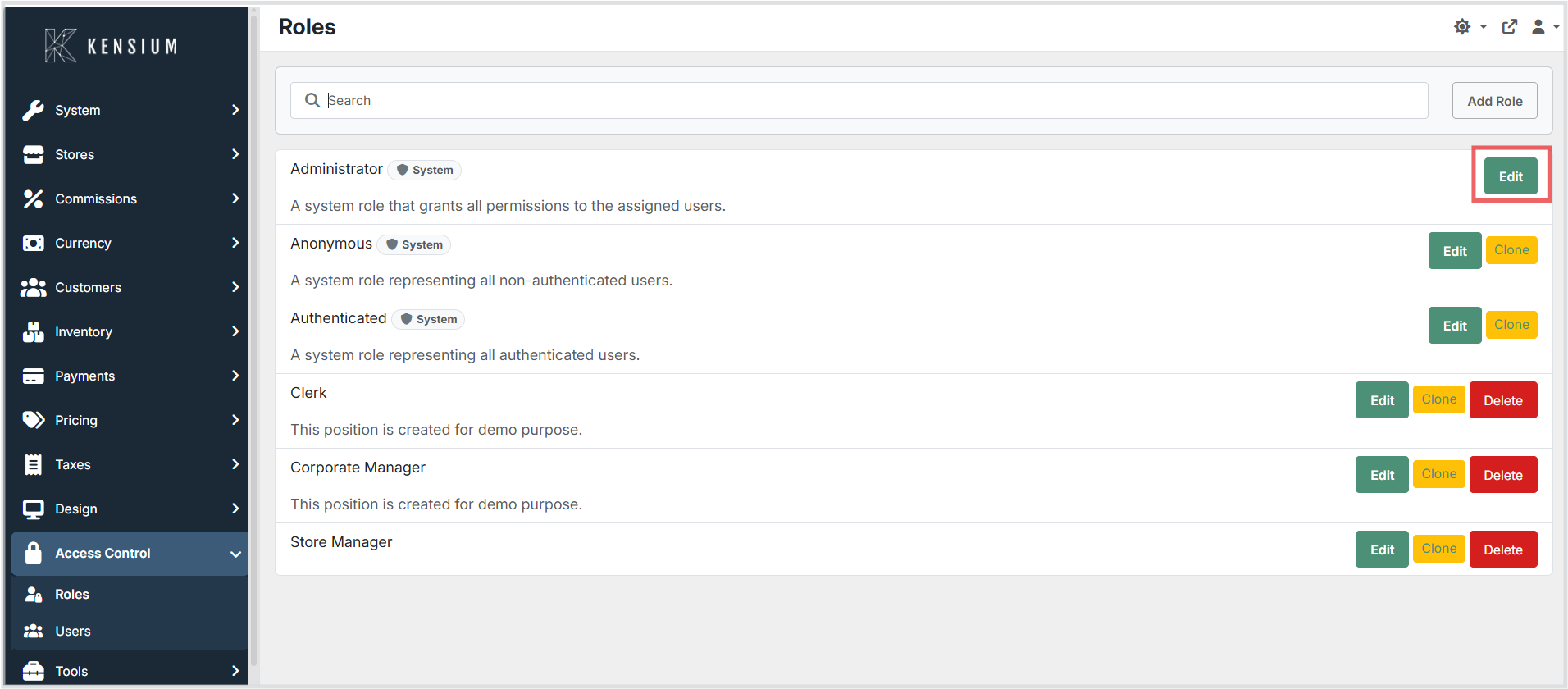
- Navigate to
Access Control → Roles - Click Edit next to the role
- Enable or disable permissions as required
- Click Save changes
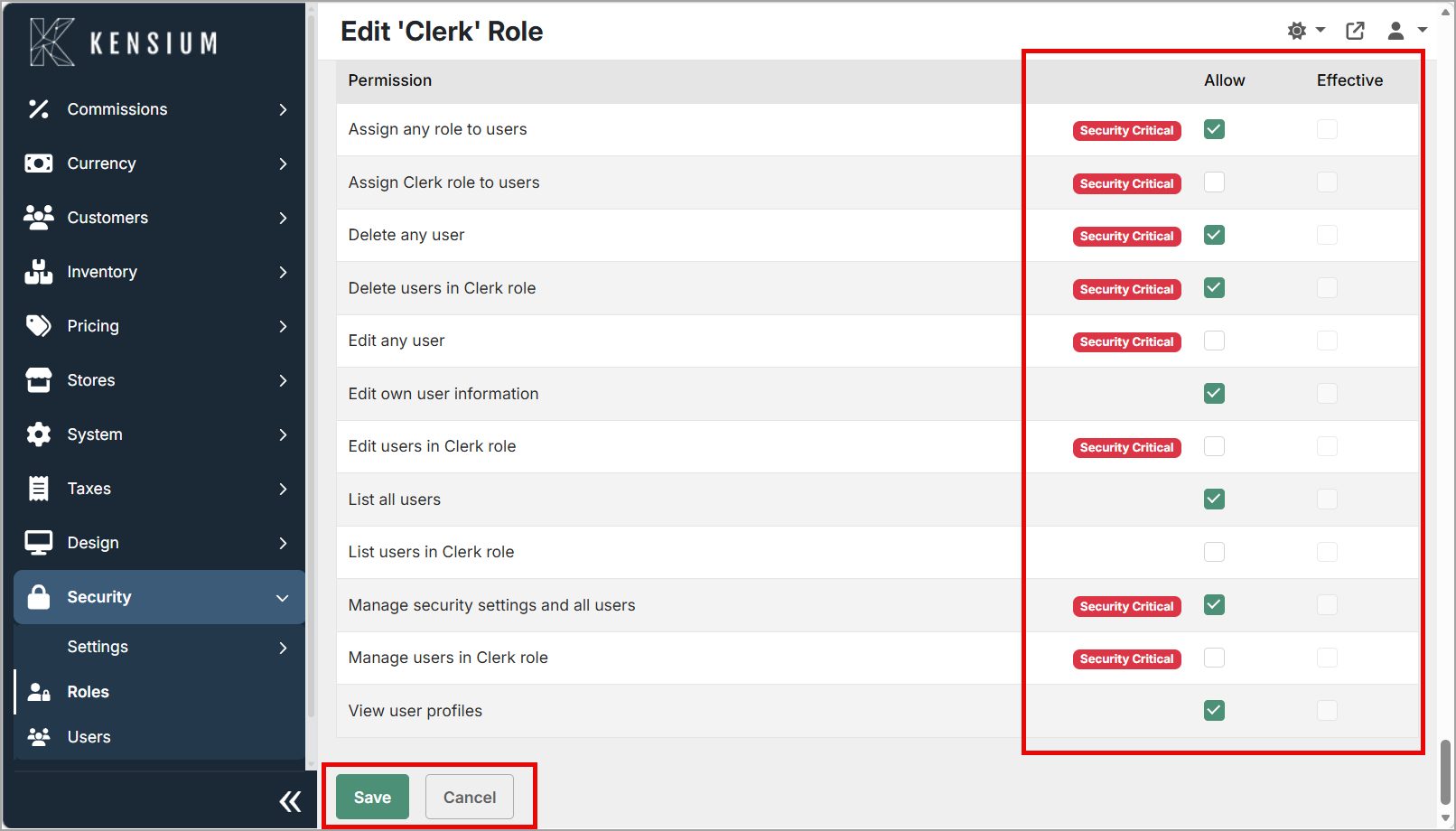
Changes apply immediately to all users assigned to that role.
Cloning a Role
To create a copy of an existing role with the same permissions:
- Navigate to
Access Control → Roles - Click Clone next to the role you want to copy
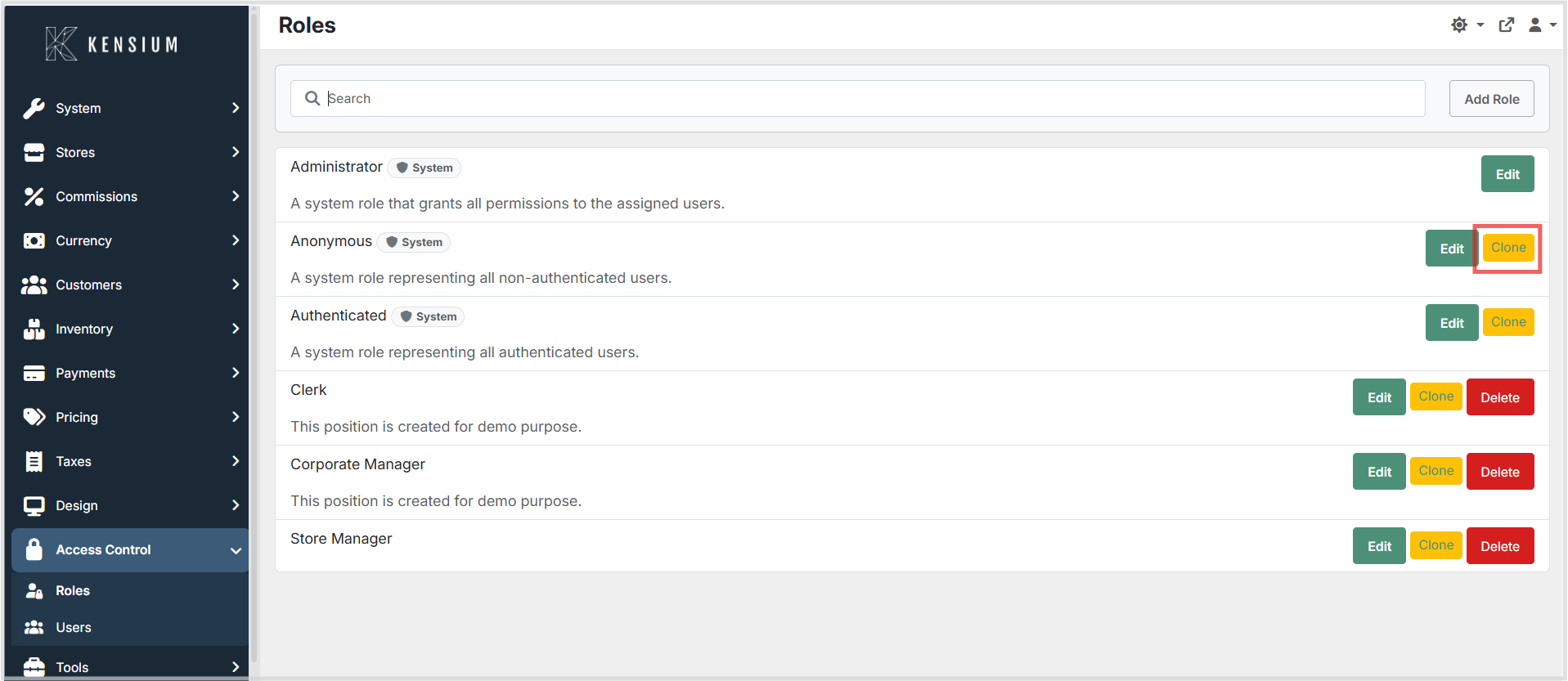
- Enter a new name for the cloned role
- Click Create
The new role will have the same permissions as the original role and can be modified as needed.
Deleting a Role
To delete a role:
- Navigate to
Access Control → Roles - Click Delete next to the role
- Confirm the deletion
Warning
Deleting a role will not remove the role assignments from users. Users with the deleted role will retain those assignments, but the role will no longer be available for new assignments or editing.
Permission Settings
Each permission can be enabled using the Allow option.
Some permissions may appear as automatically enabled due to related higher-level permissions. These are considered effective permissions derived from selected settings.
Recommendations
- Create roles based on organizational responsibilities.
- Assign only the permissions necessary for job functions.
- Avoid granting broad permissions unless required.
- Review role permissions after major POS upgrades to ensure new functionality is properly enabled where appropriate.
- Use consistent naming conventions for roles across environments.
Relationship Between Roles and Users
- Roles define access.
- Users inherit permissions from assigned roles.
- Modifying a role affects all users assigned to it.
- Users can have multiple roles.