Hold & Recall a Sale
Save incomplete transactions as quotes and recall them later on the same register or another register in your organization.
Hold & Recall is a quote function that enables saving of incomplete transactions and resumption at a later time. This function supports handling of indecisive customers, complex orders, and temporary workflow suspension while serving other customers. Quotes are saved with all items, discounts, and customer information intact, and can be recalled on any register in the organization.
Hold & Recall enables:
- Creation of customer quotes without committing to transaction completion.
- Customer time allocation for purchase consideration (minutes, hours, or days).
- Resumption of interrupted transactions exactly as left.
- Transfer of quotes between registers (available system-wide).
- Saving of complex orders for review and verification before final processing.
- Management of multiple customer requests simultaneously on the same register.
Navigation:
Process Sales → Save Quote (Alt+Q) and Recall Quote (Alt+I)
Saving a Quote
Saving an incomplete sale as a quote:
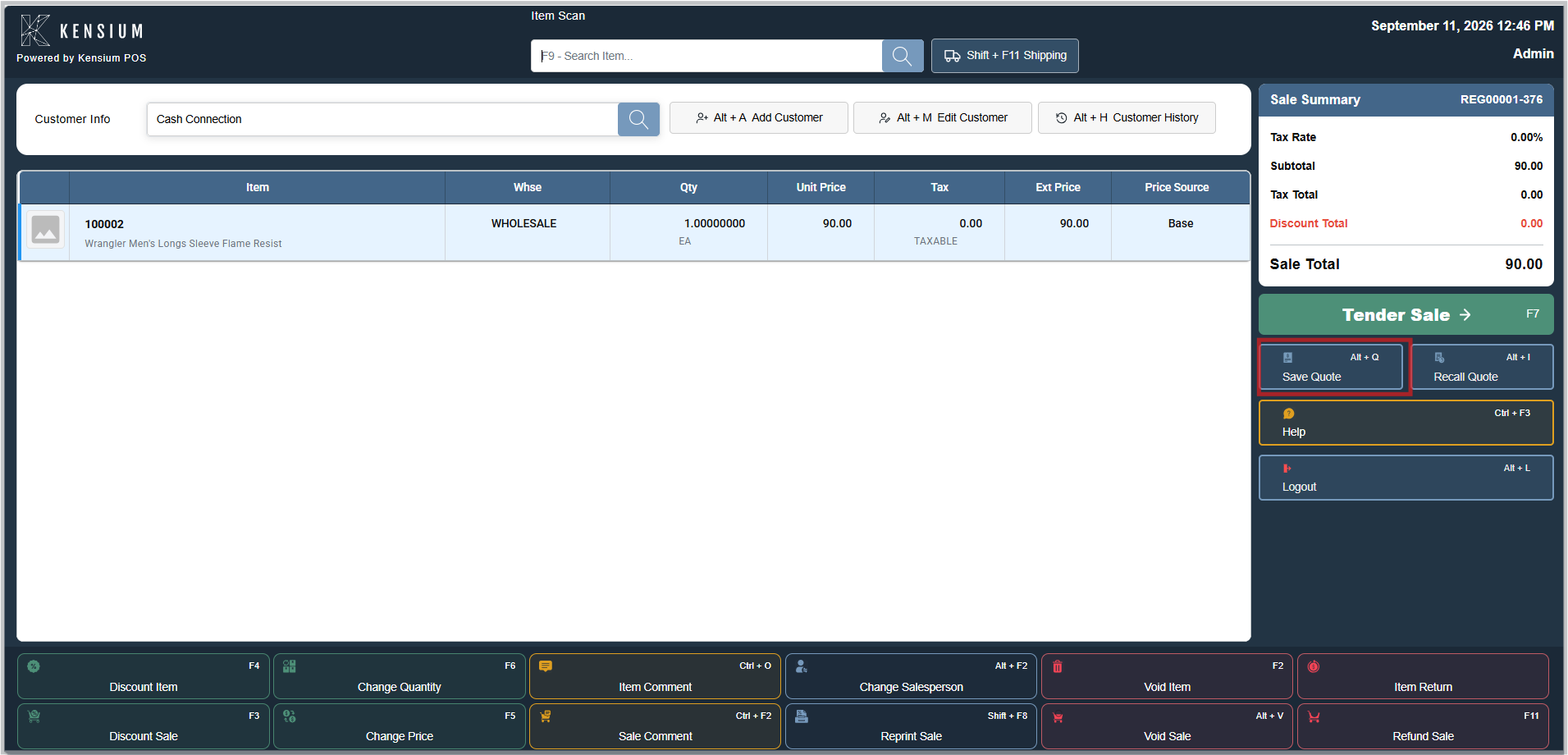
- The Save Quote button should be selected (or Alt+Q should be pressed).
- A confirmation dialog appears showing the clerk and customer on the quote.
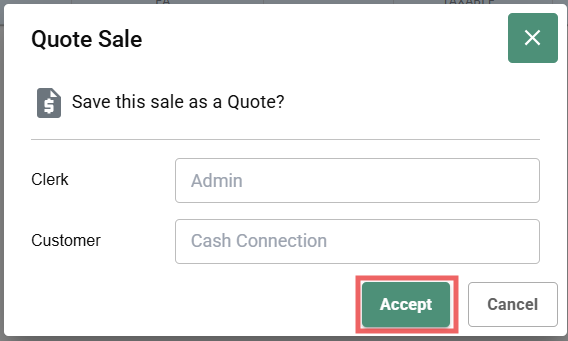
- The Accept button should be clicked to confirm saving the quote (or Cancel to discard).
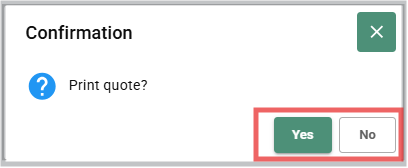
- A print confirmation dialog appears asking "Print quote?"
- Select Yes to print the quote receipt, or No to skip printing.
- If Yes is selected, the quote is printed to the default printer.
- The sale is cleared and the register returns to an empty state, ready for the next transaction.
Important
An empty sale cannot be quoted at least one item must be added.
Limitation
A sale with existing payments cannot become a quote. The system offers Copy to Quote instead, which leaves the original transaction intact with its payments.
If Payments Have Already Been Taken
When attempting to save a quote on a sale with existing payments:
- The system offers Copy to Quote instead of Save Quote.
- Success message: "Copied to a quote. Void this sale to cancel its payments."
- The original transaction remains intact with its payments.
- Void the original separately if payment release is needed.
Recalling a Quote
Resuming a saved quote:
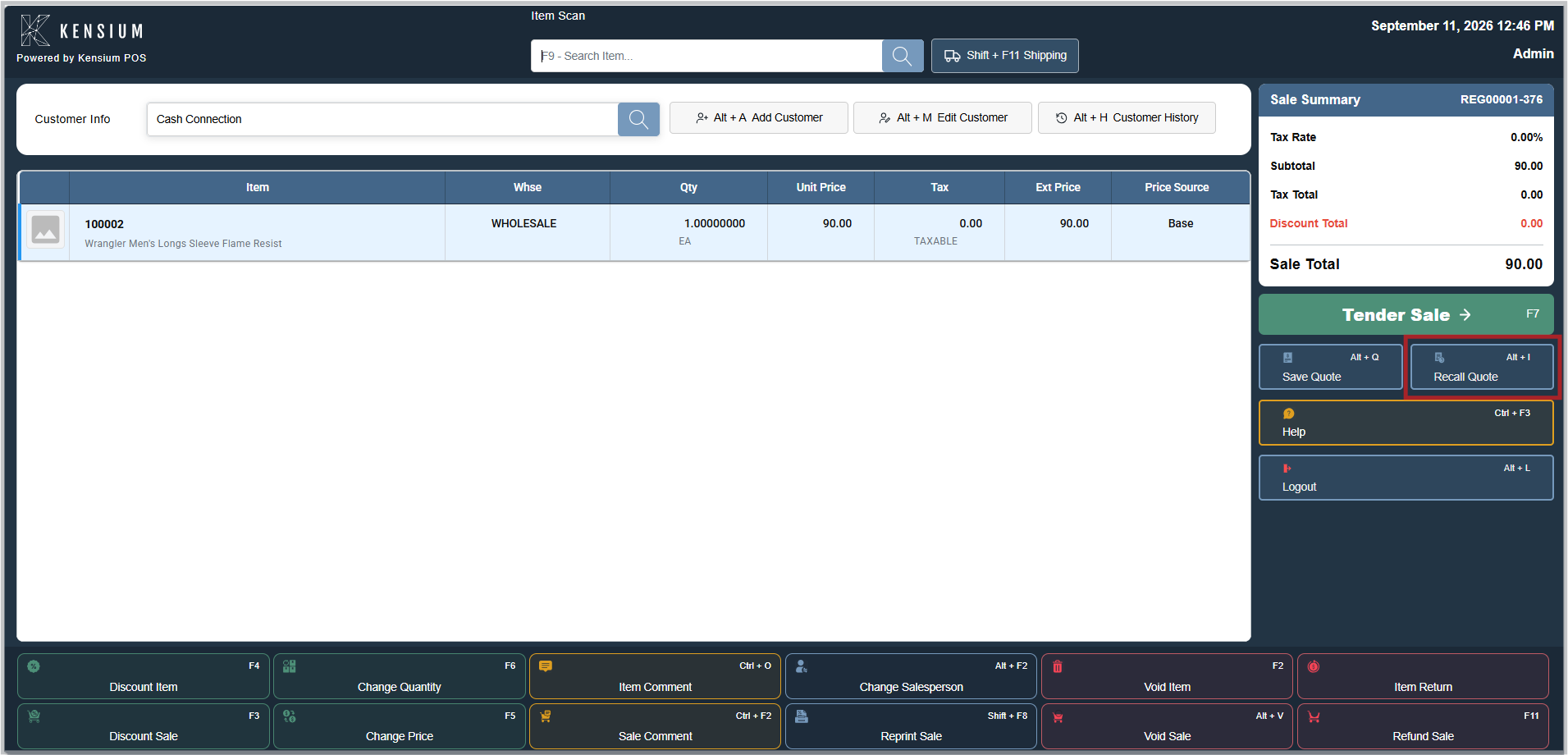
- With an empty sale, the Recall Quote button should be selected (or Alt+I should be pressed).
- The search method should be chosen:
- Transaction #: If the exact quote number is known.
- Date Range: If approximate creation time is remembered.
- Clerk: To find quotes saved by a specific staff member.
- Current Customer: To recall quotes for the customer attached to current sale.
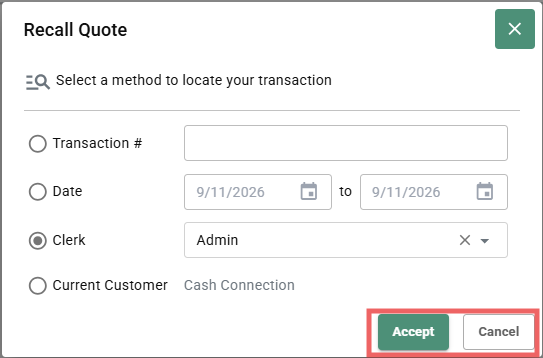
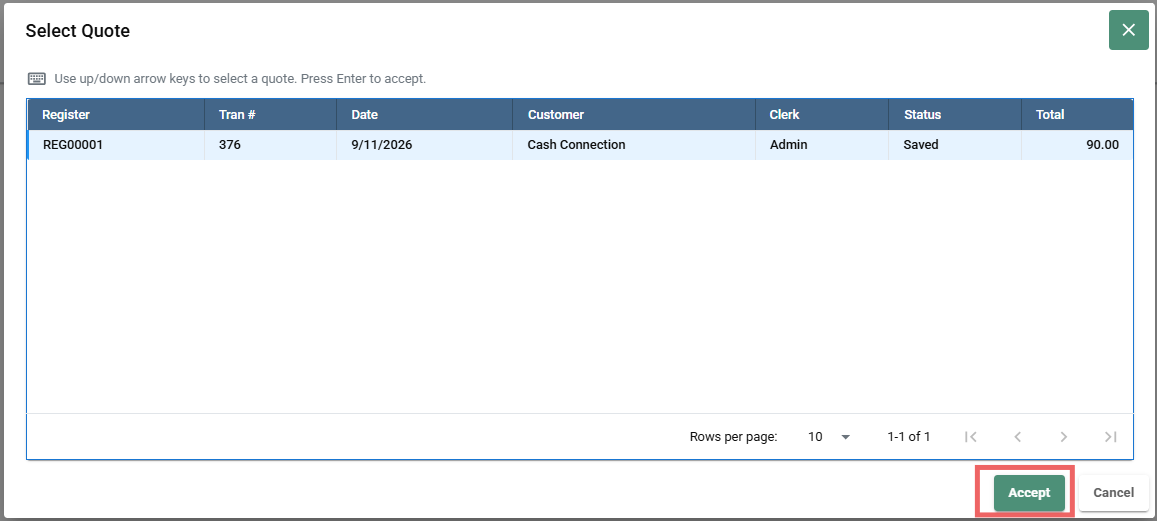
- The search criteria should be entered and Search should be pressed. A Select Quote dialog appears displaying matching quotes in a table with columns: Register, Tran #, Date, Customer, Clerk, Status, and Total.
- The desired quote should be selected from the results using the up/down arrow keys to highlight it.
- The Accept button should be clicked to load the quote (or Cancel to discard). Alternatively, Enter can be pressed to accept or Esc to cancel.
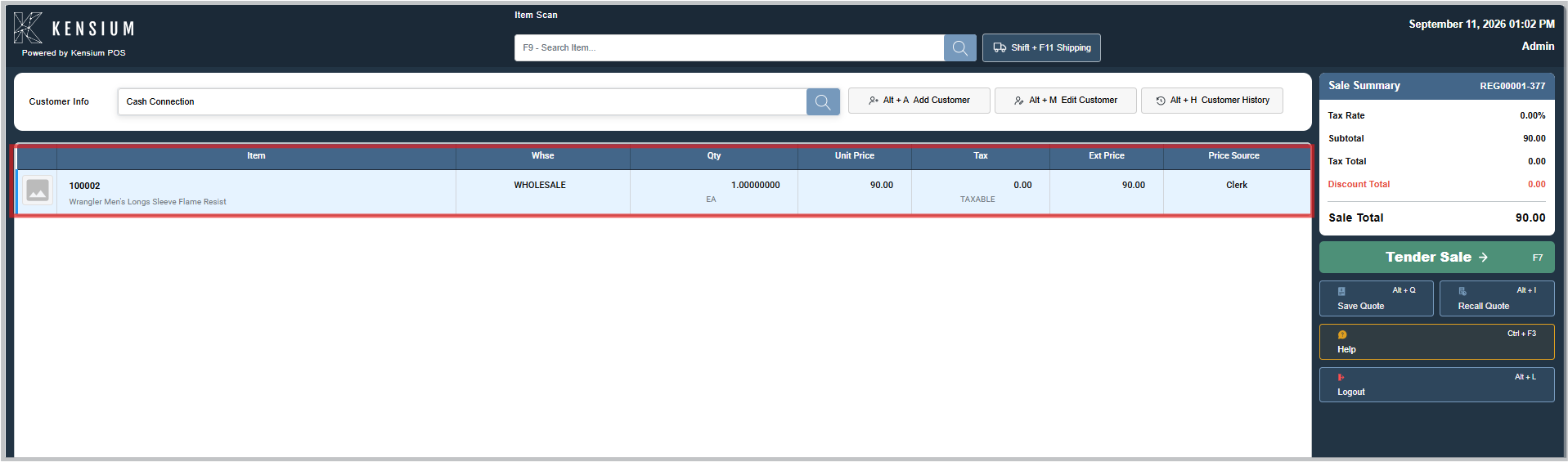
- Quote lines load into the sale.
- Success message: "Quote recalled."
- The sale should be continued or modifications should be made as needed.
Quote Search Methods
| Method | Use When |
|---|---|
| Transaction # | The exact quote number is known (for example, REGISTER001-5494). |
| Date Range | Approximate quote creation time is remembered. |
| Clerk | Locating quotes saved by a specific staff member |
| Current Customer | Recalling quotes for the customer attached to current sale |
Related Documentation
Remember
Quotes are useful for indecisive customers or complex orders. A quote should be printed so the customer has a reference. Quotes expire based on store policy the manager should be checked when recalling an old quote. Quotes can be recalled on any register, not just the one where they were created.