Tax Schedules
| Summary Information | |
|---|---|
| Menu Path: | Taxes — Tax Schedules |
| Required Feature(s): | Taxes |
Navigation:
Taxes → Tax Schedules
The Tax Schedules module allows administrators to define and manage named collections of Tax Schedule Codes that together determine the taxes applied to a sale. A tax schedule acts as a bundle - for example, a state or provincial tax package - that can be assigned to customers, stores, or registers to control which tax components are calculated at the point of sale.
Purpose of Tax Schedules
Tax schedules are used to:
- Group one or more Tax Schedule Codes into a named, reusable tax configuration.
- Assign a consistent set of tax components to customers, stores, or registers without repeating individual code assignments.
- Control the combination and order of tax components applied to each transaction line.
Creating or Editing a Tax Schedule
To create a new tax schedule or modify an existing one:
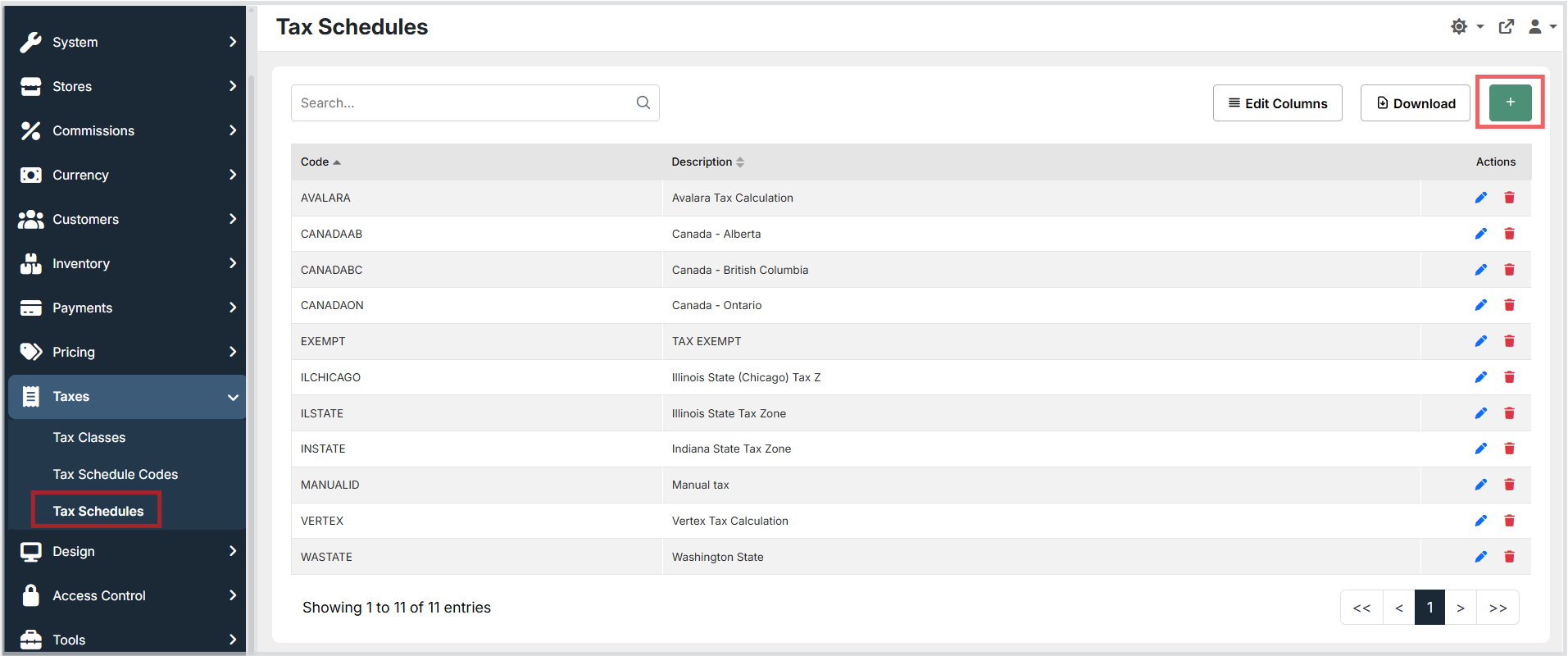
- Navigate to Taxes → Tax Schedules.
- Click the green + button to open the create form.
- Enter a unique Code and an optional Description.
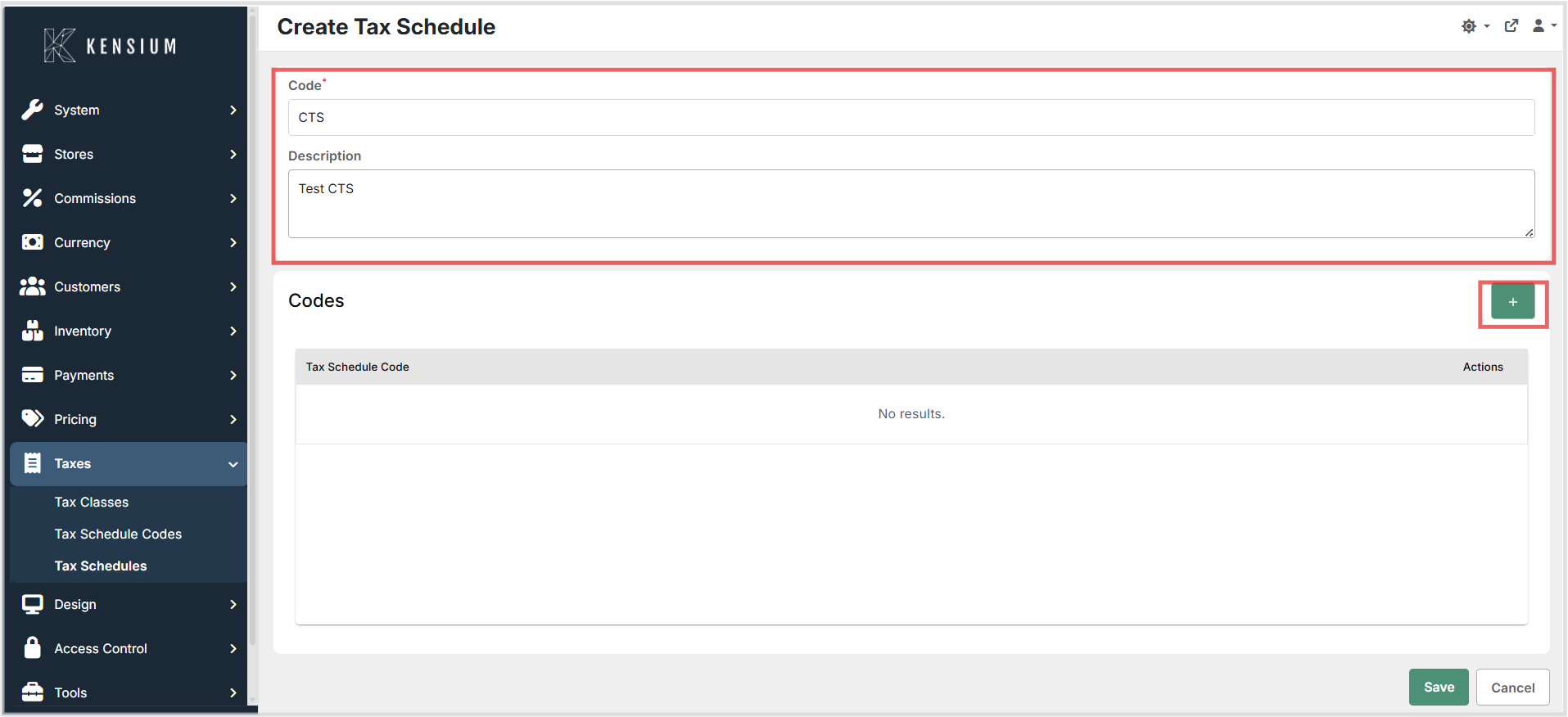
- In the Codes section, click + to open the code selector. Choose an existing Tax Schedule Code and add it to the schedule.
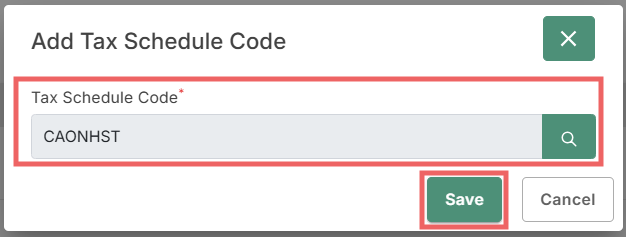
- Repeat step 4 to include additional Tax Schedule Codes as needed.
- Click Save to apply the configuration.
To edit an existing tax schedule, open it from the list, update the fields or code assignments, and click Save. To remove a Tax Schedule Code from the schedule, use the delete action on that row before saving.
Available Fields
| Field | Description | Field Behavior |
|---|---|---|
| Code | A unique identifier for the tax schedule. | Required. Used to assign the tax schedule to customers, stores, or registers. Must be unique across all tax schedules. |
| Description | A plain-language explanation of the tax schedule's scope or purpose. | Optional. Use a clear description (for example, "Washington State Tax Bundle" or "California Combined Tax") to make the schedule easy to identify in lists and reports. |
Tax Schedule Codes
Each tax schedule contains an ordered list of Tax Schedule Codes that define the individual tax components applied when the schedule is active.
| Field | Description | Field Behavior |
|---|---|---|
| Tax Schedule Code | An existing Tax Schedule Code to include in this schedule. | Required per row. Select from the Tax Schedule Codes defined in the system. Each code can appear only once per schedule. |
The order in which codes are added to the schedule may affect how taxes are applied. If your environment or integrations expect a specific application order - for example, state tax before local tax - add the codes in that sequence.
How Tax Schedules Are Applied
When the POS processes a sale, the system selects the applicable Tax Schedule based on the customer, store, register class, or other configuration. It then iterates through the Tax Schedule Codes included in the schedule and applies the rate associated with each code and the item's assigned Tax Class. The tax amounts from all codes in the schedule are combined to produce the total tax for each transaction line.
If a Tax Schedule Code included in a schedule has no rate defined for a given Tax Class, that code contributes zero to the total tax for the transaction.
Operational Considerations
- Unique codes: Tax schedule codes must be unique across all tax schedules. Attempting to save a duplicate code will result in a validation error.
- Stable codes: Treat tax schedule codes as stable identifiers once they are assigned to customers, stores, or registers. Renaming or deleting a schedule that is in active use may cause tax calculation errors.
- Code order: Confirm the expected order of Tax Schedule Code application with your tax configuration or integration team. Some integrations require that state or provincial codes appear before local codes.
- Missing rates: If a Tax Schedule Code in the schedule has no rate row configured for a given Tax Class in the Tax Classes module, that component contributes zero to the transaction total. Verify that all included codes have rates defined for every relevant Tax Class.
- Testing changes: After creating or modifying a tax schedule, process a test transaction to confirm that the correct tax components and amounts are calculated and displayed.
- External tax providers: When using an external tax calculation service such as Avalara or Vertex, map external tax components to the corresponding local Tax Schedule Codes to ensure that reports and accounting postings remain consistent.