Cash Drawers
Configure cash drawers connected to your register.
Configure your cash drawers to connect with your receipt printer. Select the connection type, set the interface compatibility (Epson, Star/Citizen, or Custom), and configure drawer commands as needed.
Configure Cash Drawer
- Press F7 (Configure) from Home Page
- Go to CASH DRAWERS tab
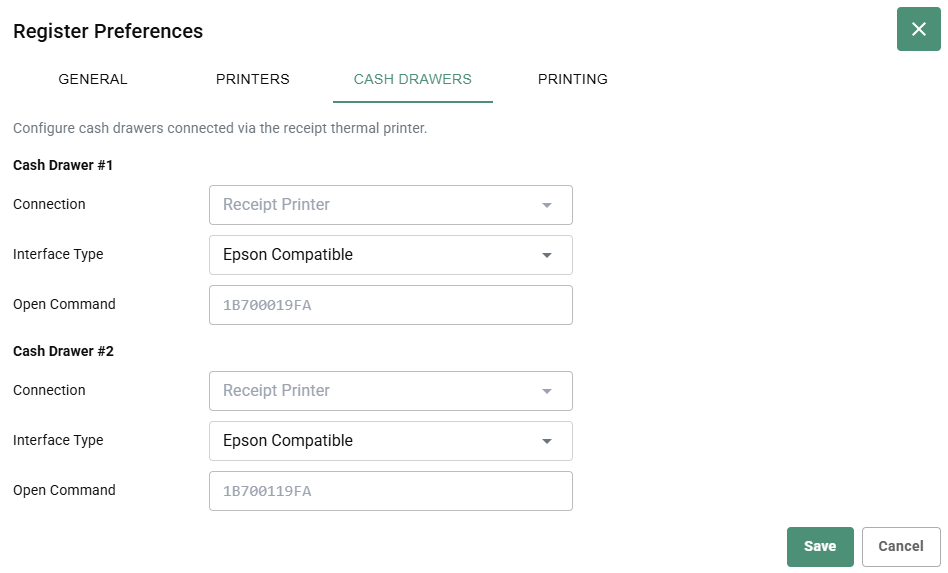
- For each drawer, configure:
- Connection - Select Receipt Printer
- Interface Type - Choose compatibility type: - Epson Compatible - Star/Citizen Compatible - Custom
- Open Command - Enter drawer command code (if needed)
- Click Save
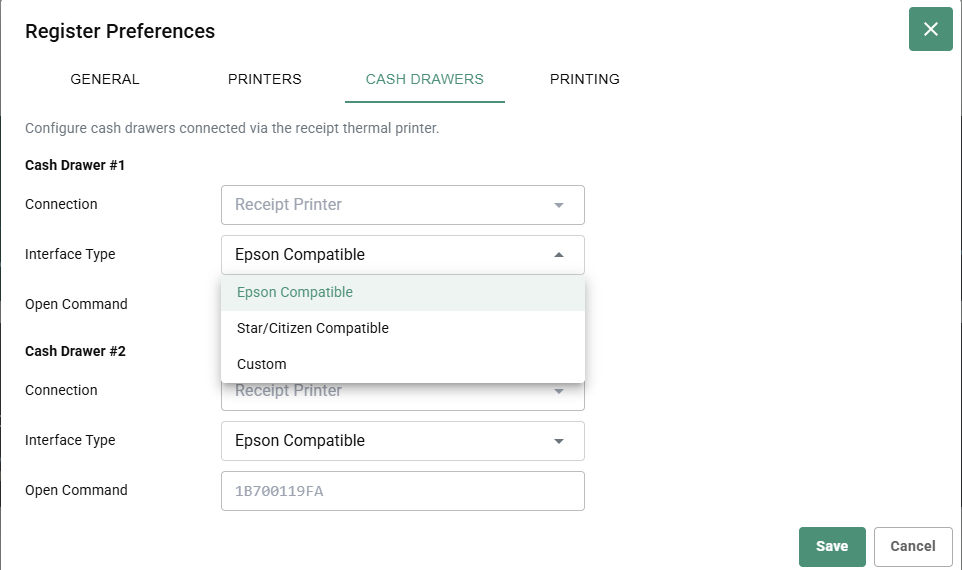
Interface Types
- Epson Compatible - For Epson thermal printers and drawers
- Star/Citizen Compatible - For Star or Citizen brand drawers
- Custom - For other drawer types (requires command code)
Multiple Drawers
Register can support multiple cash drawers:
- Cash Drawer #1 - Primary drawer
- Cash Drawer #2 - Secondary drawer (optional)
Configure connection and interface type for each.